AI for Meta & TikTok Ads: What Forward-Thinking Marketers Will Do Next

AI is shaking up how marketing teams build ads for Meta and TikTok. Creative folks now use AI tools to crank out content way faster than before.

AI-powered creative collaboration tools let marketers pump out more creative assets in less time. That means teams get to focus more on strategy, storytelling, and building their brand.

Meta’s got Advantage+ Creative tools that can auto-generate Facebook and Instagram ads. TikTok offers Symphony Assistant, an AI helper that works with brands to brainstorm content ideas.

These platforms use AI to help teams make ads that hit the right people and perform better.

The move to AI creative tools is changing the game for advertising on Meta, Google, TikTok, and LinkedIn.

Marketing teams can churn out more content, keep brands safe, and still hit their goals.

Key Takeaways

  • AI tools help creative teams make more ads in less time on Meta and TikTok
  • Meta Advantage+ and TikTok Symphony Assistant automate ad creation and idea generation
  • AI-powered collaboration boosts ad performance and keeps brand safety in check

How AI Is Revolutionizing Creative Collaboration for Meta and TikTok Ads

AI tools are changing how creative and marketing teams build ads for Meta and TikTok. Now, platforms offer smart generative AI systems that automate design, speed up content workflows, and give creative help when you need it.

Generative AI Tools Powering Ad Design on Meta and TikTok

Meta’s Advantage+ suite uses machine learning to auto-generate ads. The system looks at your campaign goals and whips up different creative versions from your assets.

Meta’s generative AI features now let advertisers tap into creative automation through the Marketing API. These tools write ad copy, tweak images, and spit out video content in different styles.

TikTok’s Symphony Creative Studio acts as an AI video generator. It can turn product details and brand info into TikTok-ready content in just a few minutes.

Some top AI features:

  • Automated script writing
  • Dynamic visuals
  • Multi-language content
  • Brand-consistent creative variations

Both platforms use AI to cut down production time but keep quality high. Teams can make loads of ad versions from just a few assets.

Enhanced Content Creation Workflows for Creative and Marketing Teams

TikTok Symphony makes complicated creative processes way simpler. Creative teams can go from idea to finished ad without the usual production bottlenecks.

The Symphony Assistant acts like an AI-powered helper during the creative process. Teams can use TikTok Creative Center features right inside their workflow.

Workflow perks:

  • Real-time trend spotting
  • Automated best practice tips
  • Instant creative tweaks
  • Cross-platform content adaptation

Meta’s automation tools fit right into existing ad creation flows. Marketing teams keep control over the creative side while letting AI handle repetitive stuff.

AI takes care of the technical grunt work. Teams put more energy into strategy and brand messaging.

Real-World Examples: Symphony Assistant, Advantage+, and AI Ad Creative Generators

Symphony Assistant gives creative advice through chat prompts. You can ask for trending ideas, script help, or tips to boost performance.

It supports nine languages and works with Adobe Express for extra creative power. Teams get TikTok-specific insights without leaving their favorite design tools.

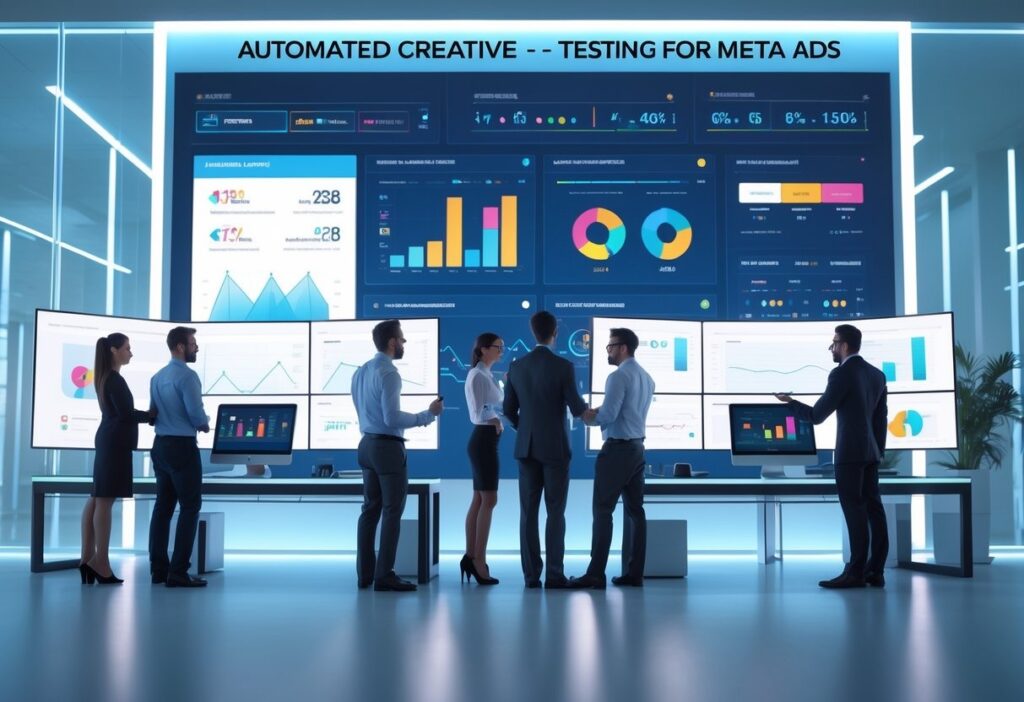
Meta Advantage+ shows real performance gains with automated creative testing. The system keeps tweaking ad elements based on how audiences react.

Vietnamese airline Vietjet used TikTok’s Custom Avatar for multi-language campaigns. Their ambassador’s digital avatar kept messaging consistent across languages.

Meta’s AI ad tools have boosted return on ad spend with smart automation. Creative teams say they save 40-60% of their time on campaign development.

These AI creative generators keep brand style steady while making more content. Teams can test different creative ideas at once, without needing a huge team.

Maximizing Performance, Output, and Brand Safety with AI-Powered Ad Creative

AI tools let advertisers make thousands of ad versions while keeping brands safe and consistent. Smart automation balances high output with human checks, so you get better ROAS and protect your brand.

Scaling Ad Variations and Video Production for Higher ROAS

AI-powered platforms can spit out loads of creative variations from product catalogs and brand assets. TikTok’s Smart+ and Meta’s AI tools make hundreds of video ads with different backgrounds, text, and voiceovers.

These systems test what works in real time. If one version flops, AI tweaks creative elements automatically to boost results.

Scaling perks:

  • Lower production costs (down 60-80% versus old-school video creation)
  • Faster turnaround, from idea to live ads in just hours
  • Dynamic optimization shifts budgets to top-performing ads
  • Cross-platform adaptation reformats content for different placements

AI-generated creative fights ad fatigue by always refreshing content. That keeps audiences interested and avoids performance drops from overused ads.

Human-AI Collaboration: Creative Strategy, Brand Integrity, and Performance Insights

Creative teams steer the ship while AI handles repetitive tasks and crunches data. Humans set the brand voice and strategy; AI makes variations and tracks what works.

Meta’s approach blends human creativity with AI insights from analyzing over a million ad variations. This combo helps teams see which emotional triggers get people to engage.

How teams work with AI:

  • Creative leads set guidelines and campaign goals
  • AI generates lots of concepts within those limits
  • Teams review and polish the best ones
  • Machine learning tweaks performance based on real audience data

AI handles the production grind so teams can focus on big-picture strategy. Algorithms take care of technical stuff and performance boosts.

Overcoming Pitfalls: Brand Safety, Governance, and Maintaining the Human Touch

Brand safety needs tight controls over AI-made content to avoid off-brand or risky stuff. Companies set up approval workflows so humans check AI outputs before anything goes live.

Key safety steps:

  • Content filters block bad imagery or text
  • Brand checks make sure content matches style guides
  • Legal reviews for industries like finance
  • Performance monitoring to catch issues after launch

Humans make sure AI doesn’t create robotic or off-tone content. Creative teams add real storytelling and emotion that audiences connect with.

Clear rules set boundaries between human strategists and AI. That way, tech helps creativity but doesn’t replace the human spark that makes brands stand out.

Frequently Asked Questions

AI tech solves common headaches for marketing teams making Meta and TikTok ads. These tools focus on automation, workflow integration, and personalizing content.

In what ways has artificial intelligence transformed ad design processes?

AI takes over boring design tasks like background removal and resizing images. Designers get to focus on strategy and creativity.

Dynamic creative optimization updates visuals in real time based on how audiences react. That means more personalized experiences with less manual work.

AI-powered A/B testing runs all the time across tons of ad versions. The system finds the winners way faster than people can.

How do AI ad creative generators streamline the campaign development cycle?

LinkedIn’s Accelerate tool cuts campaign creation time from 15 hours to just 5 minutes. Other platforms are speeding things up too.

AI generators spit out lots of ad versions from one input. Marketers can try different angles without extra design work.

Automated asset generation lets teams launch campaigns faster. Quick tweaks are easy during active campaigns.

PlatformAI ToolTime SavingsKey Feature
LinkedInAccelerate67% reductionCampaign automation
TikTokSymphonyVideo generationURL-to-video conversion
MetaAdvantage+Dynamic optimizationReal-time adjustments

What innovations in AI have significantly impacted the strategy behind Meta advertising?

Meta’s AI-powered audience segmentation updates targeting on the fly. Ads get more relevant without marketers having to tweak things constantly.

Advantage+ shopping campaigns saw 70% year-over-year growth in Q4. These automated campaigns optimize across Facebook, Instagram, and Messenger at the same time.

AI-generated ad copy matches brand tone and adapts to what audiences like. That keeps things consistent but also bumps up engagement.

Move Your AI-Driven Ad Workflow Forward from Here

As AI reshapes how teams create for Meta and TikTok, the real advantage goes to marketers who pair automation with clear workflows and tight collaboration.

When teams can manage high-volume creative output without losing track of versions, feedback, or approvals, AI becomes a multiplier instead of another chaos generator.

The next step is building a workflow that supports the speed and complexity AI brings to modern ad production.

AdFuse helps teams do exactly that. It centralizes assets, organizes AI-generated variations, and keeps every approval stage on track so creative flows smoothly from concept to launch.

If you’re ready to streamline your AI-powered ad process, learn how AdFuse can support your team.

Top Problems with Manual Ad Approval: How Marketers Can Slash Workflow Bottlenecks

Manual ad approval eats up time and money for marketing teams. If your process still leans on email chains, phone calls, and passing files around, you’ll probably miss launch dates. Creative assets get stuck in endless revision loops. The biggest headaches? Unclear feedback, missed deadlines, and scattered communication can push campaigns back by weeks.

Most marketing teams deal with the same approval bottlenecks. Too many people give feedback at different times, and it’s often contradictory. Creative assets bounce between departments, but no one really knows what’s next.

If you don’t have structured processes and the right tools, marketing approval workflows get messy. It’s a recipe for delays and confusion.

Smart automation and more streamlined workflows can fix this fast. Teams that move from manual to automated approval systems get faster turnaround and make fewer mistakes. When you combine clear processes, the right reviewers, and digital tools, things finally start to click.

Key Takeaways

  • Manual ad approval slows you down with unclear communication and scattered feedback
  • Automation cuts bottlenecks by centralizing reviews and making handoffs smoother
  • Smart workflows mean fewer campaign delays and better marketing efficiency

Critical Bottlenecks in Manual Ad Approval Workflows

Manual ad approval creates friction at every turn. Marketing teams lose momentum, and deadlines start slipping. The main culprits? Fragmented communication, long approval cycles, and version chaos that frustrate both creative teams and outside partners.

Disjointed Communication Between Stakeholders

When reviewers and stakeholders operate in their own silos, things fall apart. Creative teams send drafts over email, legal teams give feedback in separate documents, and nobody’s sure which comments matter for which version.

Common communication breakdowns include:

  • Brand guideline discussions happening apart from creative feedback
  • Clients chiming in on different platforms at the same time
  • Workflow updates buried in endless email threads
  • Stakeholders missing deadlines because they never saw the right notification

The content approval process gets clunky when feedback and annotations live in different places. Legal might review compliance in one tool, while marketing managers look at brand alignment somewhere else.

Project management takes a hit when nobody can see all the feedback in one place. Creative teams waste hours piecing together comments instead of actually making improvements.

This fragmentation means revision cycles go on forever. Teams spend more time figuring out what feedback means than actually fixing the content.

Approval Delays from Inefficient Collaboration

Content approval gets stuck when reviewers can’t collaborate on the same materials. If everyone has to wait their turn instead of giving feedback together, things grind to a halt.

Delay SourceImpactTypical Duration
Sequential reviewsReviewers waiting for each other3-5 business days
No stakeholder accessTeams can’t reach decision makers1-3 business days
Unclear approval chainNobody knows who decides2-4 business days

Most content management systems don’t have real-time collaboration. Reviewers can’t see who else is working, so they end up duplicating effort or giving conflicting feedback.

Marketing teams hit bottlenecks when key people aren’t available. If the main approvers can’t access files or hand off to backups, everything stops.

External stakeholders get slowed down by access issues too. Clients often need special logins or software, which just adds more delays.

Version Control Nightmares and Lost Feedback

Version control is a mess in manual approval workflows. Creative teams lose track of which feedback goes with which draft when multiple versions are floating around.

Reviewers sometimes comment on old versions. Legal team notes might be for a previous draft, while brand managers are looking at something else completely.

Critical version control failures include:

  • People editing different versions at the same time
  • Feedback getting separated from the right draft
  • Teams not sure what’s already been changed
  • Final versions mixed up with earlier drafts

If nobody can tell which file is the latest, project management falls apart. You need a clear trail showing how assets changed through the workflow.

Feedback often disappears during version swaps. Important input from legal or clients gets lost if teams can’t merge comments across different drafts.

Sometimes, creative teams have to redo whole approval cycles because they can’t tell what feedback made it into the latest version. That’s a huge waste of time and energy.

Essential Solutions: Automating and Streamlining Your Marketing Approval Workflow

You can ditch bottlenecks by using automated approval systems that move content through set review stages. The right mix of approval software, workflow tools, and custom processes turns messy email chains into smooth, trackable systems.

Ad Asset Workflow Automation for Faster Review Cycles

Automated approval workflows take out the manual handoffs. Assets move through each review stage automatically. Marketing managers can set up approval sequences that ping the right people when new creative gets uploaded.

Key automation features include:

  • Assigning reviewers automatically based on content type
  • Tracking deadlines with alerts if things get stuck
  • Version control that keeps everyone on the same page
  • Letting people review in parallel when possible

Tools like Filestage and Planable specialize in marketing content approvals. They route print designs to brand partners and send videos to other reviewers at the same time.

Automated notifications mean you don’t have to chase people down. If someone misses a deadline, the system reminds them and even escalates it up the chain. This cuts review rounds from 5-7 down to 2-3.

Digital marketers have seen campaign launches speed up by 40% with automated routing. Plus, you get a solid audit trail for compliance.

Selecting the Right Social Media Approval Tools

Social media needs its own approval flow. The right social media approval tool plugs into major platforms and gives you strong review features.

Must-have features:

  • Previews that show exactly how posts will look
  • Bulk approvals for whole campaigns
  • Calendar integration for scheduling
  • Brand guideline checks

Planable stands out for social media. You get visual previews for Instagram, Facebook, and LinkedIn. Teams can approve an entire calendar in one go, instead of one post at a time.

Collaboration features let outside partners give feedback without needing platform access. Comments stay attached to posts, so nothing gets lost across different platforms.

Content teams need approval workflows that fit different post types. Videos might need a different review than graphics, so the tool should route each one the right way.

Custom Approval Flows for Agencies and Distributed Teams

Agencies juggling multiple clients need custom approval workflows that fit each brand’s needs. Every client might want different steps, legal checks, or reviewers.

Workflow ComponentAgency BenefitClient Benefit
Role-based permissionsControl who sees whatKeep things private
Custom review stagesMatch client processFamiliar steps
Branded portalsLook professionalEasy access
Automated updatesLess admin workReal-time status

Template workflows let agencies reuse what works for similar clients. For example, financial clients always get compliance checks, while retail ones skip that part.

Distributed teams need platforms that work across time zones. Asana and other tools offer 24/7 project visibility, so everyone can jump in during their workday.

Client approval gets easier when external folks can review assets in the same system as the internal team. This kills version issues and cuts email volume by 60%.

Boosting Productivity with Workflow Integrations

Collaboration tool integrations connect approval workflows with what teams already use. If your team is on Slack, Microsoft Teams, or uses project management apps, you can get approval notifications right where you work.

Popular combos:

  • Slack pings for new approval requests
  • Teams channels for campaign chats
  • Asana tasks created automatically after approval
  • Files sent straight to marketing platforms

With project management tool integration, approved assets move to production automatically. When creative directors approve a design, the system sets up tasks for digital marketers and updates timelines.

Productivity jumps when teams get updates in their favorite apps. Instead of checking another tool, marketing managers just see a Slack notification when clients finish reviews.

API integrations let you connect approval platforms with specialty marketing tools. Video editors get notified when footage is approved, and designers see alerts for revision requests.

The best integrations keep context. If you click an approval notification in Teams, you should land right in the review interface, with all your chat and project details handy.

Frequently Asked Questions

Marketing teams often get stuck with slow approvals, version confusion, and scattered feedback. Modern automation and smart workflows can wipe out most of these headaches and make collaboration way smoother.

What best practices can improve manual ad approval processes for marketing teams?

Identify stakeholders early to avoid confusion. Make sure only the right people review content, and keep the group small for quick feedback.

Clear brand guidelines help keep everything consistent. Include colors, fonts, image specs, and messaging rules everyone can check.

Set deadlines and use automated reminders to keep things moving. If you set deadlines for each review stage, you’ll spot bottlenecks before they get serious.

Use version control to stop people from working on old files. Lock older versions so everyone’s editing the latest asset.

How can automation resolve common challenges in ad asset workflows?

Automation tools get rid of messy email threads. Centralized platforms keep all comments tied to the right asset, not scattered everywhere.

Automated reminders mean you don’t have to chase people for approvals. The system sends nudges on schedule.

Smart routing sends assets to the right approvers in the right order. This keeps early feedback from messing up later reviews.

Digital asset platforms keep full audit trails. You can see who changed what, when approvals happened, and what feedback was given, no extra work needed.

How can agencies streamline their approval workflows using automation technology?

Marketing approval workflow tools keep client feedback and team reviews in one spot. That way, you always know which comments go with which asset version.

Automated status tracking shows you exactly where each asset is in the pipeline. No more checking a bunch of systems or spreadsheets.

Client portals let outside partners review materials without needing special software. This makes it easier for them to participate and keeps things secure.

Custom approval paths mean you can build templates for different clients or project types. No need to reinvent the wheel every time.

Take Your Ad Approval Process to a Better Place from Here

When teams rely on manual processes, the smallest delays can ripple through an entire campaign.

Bringing structure, visibility, and automation into your approval flow removes guesswork and helps every reviewer stay aligned.

A smoother process means fewer back-and-forth cycles, clearer decisions, and faster creative turnaround for both marketers and their partners.

AdFuse supports this kind of streamlined workflow by centralizing assets, keeping feedback tied to the right version, and guiding each project through clear, trackable approval stages.

If you’re ready to reduce bottlenecks and move campaigns forward with less manual effort, explore how AdFuse can help your team work smarter.

Building an Ad Collaboration Process for Agencies & In-House Teams: The Productivity Multiplier Most Marketing Pros Miss

Modern marketing campaigns need smooth coordination between agencies and in-house teams. But honestly, a lot of organizations still deal with messy workflows and lost messages. Digital marketing has made collaboration between in-house design teams and agencies both trickier and more important than ever.

A structured ad collaboration process cuts down on creative bottlenecks, trims revision cycles, and keeps your brand looking sharp everywhere. Teams with solid collaboration frameworks finish projects faster and usually get better creative results. The right mix of tools and processes can turn chaos into something a lot more manageable.

Creative collaboration platforms give everyone a shared space to toss around ideas, give feedback, and work together in real-time. These tools help internal marketing teams and agencies stay on the same page, making the whole process more transparent and accountable.

Key Takeaways

  • Good ad collaboration processes wipe out creative bottlenecks and save time on revisions
  • Centralized platforms help agencies and in-house teams keep things transparent
  • Clear roles and communication channels lead to better creative work

Core Elements of an Effective Ad Collaboration Process

A successful ad collaboration process needs four main ingredients to keep creative workflows running smoothly. You need the right platform as a base, and solid asset management to keep everything organized and up-to-date.

Choosing the Right Ad Collaboration Platform

Picking a platform shapes how easily your teams can work together. Today’s creative collaboration software should let you edit in real-time, share files, and chat across teams, all in one place.

Key Platform Features:

  • Cloud access so remote teams aren’t left out
  • Integrations with the marketing tools you already use
  • User permissions to control who sees what
  • Mobile-friendly for reviewing on the go

If you’re running a small campaign, simple file sharing might be enough. Bigger projects? You’ll want stronger project management features.

The top tools let you shape workflows to fit how your team actually works, not just a pile of features. Test platforms by how they handle your daily grind, not just what’s on their sales page.

Creative Asset Management and Version Control

Good asset management keeps you from losing files or mixing up versions. When you’re juggling multiple ad variations, you need a system that keeps things tidy and on schedule.

Version control really matters when several people touch the same file. Without it, you might redo lost work or send out the wrong version.

Must-Have Management Features:

  • Automatic file naming
  • Cloud storage with backups
  • Logs showing who changed what, and when
  • Archives for finished projects

Digital campaigns usually need tons of asset versions for different platforms. With proper management, you can find the right file fast, no more digging through old email chains.

Real-Time Creative Collaboration and Communication

Real-time tools cut out the slowdowns from endless email threads and file transfers. Teams can work together at the same time, and everyone knows what’s changing.

Modern tools plug right into your creative software. You can drop comments, suggest tweaks, and approve stuff without bouncing between apps.

How It Flows:

  1. Initial Brief → Creative team gets the project details
  2. Concept Development → Brainstorming and sketching together
  3. Design Creation → People work on different pieces at once
  4. Review Cycles → Quick feedback and edits
  5. Final Approval → Fast sign-off

Teams move way faster with integrated collaboration than with old-school email workflows.

Feedback Loops and Streamlined Approval Workflows

A good feedback loop lets everyone share input without clogging things up. Clear approval steps show who needs to review what, and when.

Strong Feedback Systems:

  • Time-stamped comments right on the design
  • Priority tags for urgent or minor feedback
  • Automatic alerts when it’s time to review
  • Set deadlines for each approval stage

When the system tracks who’s responded and when, accountability just happens. Project managers can spot slowdowns before they mess up your launch.

With cleaner workflows, approvals can go from days to just a few hours. Setting approval criteria upfront keeps revision cycles from dragging on forever.

Optimizing Collaboration Platforms for Mixed Teams

Mixed teams, agencies plus in-house, need platforms that fit with what they already use, work well for remote folks, and grow as projects get bigger. The best ones are flexible, secure, and can handle creative work from anywhere.

Integrations With Key Marketing and Creative Tools

Collaboration platforms have to connect with your favorite tools. Adobe Creative Cloud integrations let designers pull files straight from Illustrator or Photoshop, no more endless uploads.

Figma and Miro plug-ins make it easy to design together and share feedback without switching tabs. The best platforms sync feedback and approvals automatically.

Project management tools like Asana and Monday.com need to talk directly to your creative platforms. This way, task updates show up where designers work, and project managers can spot what’s done.

Slack integrations send instant updates when files get uploaded or approved. Everyone gets notified in the channels they already check, so nothing slips through.

Tool CategoryKey IntegrationsPrimary Benefit
Design ToolsAdobe Creative Cloud, Figma, CanvaDirect file sync and version control
Project ManagementAsana, Monday.com, Kanban boardsAutomated task and deadline tracking
CommunicationSlack, Microsoft TeamsCentralized notifications and updates

Managing Remote and Distributed Teams

Remote work brings its own headaches. Different time zones mean people need to review and approve work when it fits their schedule. Platforms should let folks jump in and out without slowing everyone down.

Distributed teams rely on one central asset library everyone can reach. Version control matters even more when people work in different places. The platform should save versions automatically and stop conflicting edits.

Permission settings are huge for hybrid and remote teams. Agency folks might need different access than clients. Role-based permissions keep things organized and secure.

Status tracking helps everyone see who’s doing what and when stuff’s due. Dashboards should give a quick view of project progress, no digging required.

Security and Scalability Considerations

Security isn’t one-size-fits-all. Agencies and big clients like banks or hospitals have different needs. The platform should have strong encryption and audit trails for sensitive projects.

As teams grow, user management can get messy. Single sign-on keeps things simple, and admins need tight control over invites and access.

Scalability is key, storage limits shouldn’t stop your video or design projects. Look for unlimited storage or easy upgrades, so you’re not stuck mid-campaign.

Performance should stay solid even as your team grows. The platform should handle lots of users at once without lag. Try some load testing before you go all-in.

Big clients might want custom integrations with their own marketing tools. Good API docs and developer support make it easier to connect everything.

Frequently Asked Questions

Teams run into a bunch of questions when setting up ad collaboration systems or picking new tools. Here are some of the most common ones about making things smoother, getting more out of software, and tying everything together.

How can agencies and in-house teams effectively streamline their ad collaboration process?

Set clear expectations early to avoid confusion between teams and clients. Spell out roles and responsibilities right at the start.

Usually, the lead agency sets up joint meetings to talk through project goals and make sure everyone’s on the same page. Each team shares their approach, and together they figure out how to sync up efforts.

Working across vendors means sharing files, updates, and reports in ways that work for everyone.

Short daily check-ins (think 15 minutes) help keep things moving and surface any blockers fast.

What features are most important when selecting a marketing team collaboration tool?

Look for platforms with dual approval systems to keep quality high. Top collaboration tools should let you customize workflows for different ad types and channels.

White-labeled client portals give clients a branded experience while your team keeps its own space. Task management keeps everyone on track.

Real-time analytics show what’s working and what needs work. Integrations with your current tools keep things running smoothly.

File sharing and version control stop confusion over which asset is the latest. Teams need secure cloud storage for sharing and tracking docs.

How does creative asset management software improve efficiency in advertising projects?

Design collaboration tools work with Adobe Creative Cloud and Figma, making creative work and teamwork easier.

Asset management systems keep creative files in one place and track every change. Teams can find approved assets fast and see who made edits.

Automated workflows reduce manual handoffs between creative and approval steps. That means less time searching for files, more time creating.

Brand consistency tools help teams stick to guidelines across campaigns. Templates and style guides can get applied automatically.

Strengthen Your Collaboration Workflow from This Point

A strong ad collaboration process only works when teams share clarity, structure, and a dependable place to create together.

When assets stay organized, feedback moves cleanly, and approvals follow a predictable path, both agencies and in-house teams avoid the delays that slow campaigns down.

The right workflow doesn’t just reduce friction; it lifts the quality and consistency of every project.

AdFuse supports this kind of workflow by giving teams one organized system for managing creative assets, tracking revisions, and keeping approvals moving without extra manual work.

If you want a smoother, faster collaboration process, explore how AdFuse can help your team work smarter.

How Ad Approval Software Slashes Delays for Agency Marketers Now

Marketing teams deal with slow ad approvals all the time. These delays can mean missed chances and a lot of frustration. Ad approval software wipes out workflow bottlenecks by automating reviews, centralizing feedback, and making sure the right people approve content when they should. Teams roll out campaigns faster and still stick to brand rules and platform guidelines.

Marketing approval software makes reviews quicker by streamlining how Facebook ads, Google campaigns, and social media posts get approved. If you’re using manual methods, content can sit for days waiting for feedback from different departments.

That kind of delay messes up campaign timing and kills chances for optimization.

Modern approval tools come with automated routing, real-time collaboration, and version control. Teams can see exactly where content is in the process and spot delays before they mess up launch dates.

That kind of visibility keeps campaign schedules on track across different platforms.

Key Takeaways

  • Ad approval software automates reviews and cuts delays in marketing workflows.
  • Modern tools offer real-time collaboration and tracking so teams stay in sync.
  • Streamlined approvals help campaigns launch on time and stay compliant.

How Ad Approval Software Tackles Bottlenecks in Marketing Workflows

Ad approval software clears out common workflow headaches like manual handoffs, unclear feedback, and version control confusion. These tools automate each approval stage, show campaign progress in real time, and cut down on errors through structured reviews.

The Root Causes of Approval Delays in Ad Campaigns

Marketing teams run into all sorts of bottlenecks that make approvals slow. Manual handoffs between team members cause delays when emails get lost or people miss notifications.

Version control can be a nightmare if multiple people edit the same ad at once. Teams waste time tracking down the right version or, worse, approve something outdated.

Communication gaps between marketing and legal teams cause even more delays. Sometimes reviewers just say “needs changes” without details, so creators have to guess what’s wrong.

Tracking deadlines is tough if you’re stuck with spreadsheets or endless email threads. Project managers lose sight of where campaigns are in the pipeline.

Too many required signatures can turn a simple social post into a week-long project. Some campaigns need five or more approvals for even basic content.

If you’re missing audit trails, it’s hard to know why something got rejected or what changed. Teams end up repeating mistakes because they can’t track the approval history.

Automation and Workflow Management: Moving Beyond Manual Approvals

Workflow automation changes the game for marketing approvals. You get rid of manual steps and build clear processes.

Automated notifications send approval requests instantly, no more waiting for someone to check their email.

Modern approval software sets up clear workflows with defined roles. Everyone knows when it’s their turn to review and what to look for.

Smart routing sends campaigns to the right reviewers based on what it is, the budget, or the audience. Social ads go to social specialists, email campaigns go to email experts.

Deadline tracking keeps things moving. If someone doesn’t respond in 48 hours, the system pings their manager or moves on to the next person.

Integration with project management tools means everyone stays in the loop. You can see approval status right in your workflow, no more switching between platforms.

Real-time collaboration lets reviewers leave direct, specific feedback with timestamps and notes. That cuts down on the back-and-forth and makes the whole review and approval process faster.

Real-World Impact: Faster Campaign Launches and Fewer Errors

Teams using ad approval workflow tools say they cut endorsement cycles by more than 20%. That frees them up to focus on strategy instead of admin work.

Campaigns launch faster when you get rid of manual approval slowdowns. Agencies have cut creative approval times from weeks to just days with automated workflows.

Error rates drop when approval management systems keep reviews consistent. Teams catch compliance issues, brand mistakes, and typos before anything goes live.

Workflow management helps teams stay productive by removing confusion about approval status. Less time chasing reviewers means more time creating killer campaigns.

When creators get clear, actionable feedback, the content creation process gets way smoother. Reviewers can call out the exact parts that need tweaks instead of leaving vague notes.

Approval workflows give teams a full view of campaign progress. Project managers can spot which steps always slow things down and fix them directly.

Teams feel more confident in their creative process because systematic approvals catch problems before launch. That reduces the risk of costly mistakes or compliance slip-ups.

Modern Features That Streamline Ad and Social Media Approval

Today’s approval workflow software mixes automated notifications with centralized asset management. Role-based permissions and approval templates keep brand consistency on point, and audit trails give you a full record of the approval process.

Centralized Assets and Version Control for Consistency

An asset library keeps teams on brand and makes it easy to find digital assets like logos, images, videos, and guidelines. Everything lives in one spot, so you don’t waste time searching for approved files.

Version control tracks every change to social posts and ad content. Marketing teams always know who made edits and when.

This means no more confusion about which version is the latest.

Version history perks:

  • Compare versions side by side
  • Automatic backups of older drafts
  • Timestamps for every change
  • Comments tied to specific versions

Project management tools connect with asset libraries for smooth content workflows. Teams can use brand-approved templates right in their approval software, so there’s less risk of using old or off-brand stuff.

Approval gets faster when everyone works from the same resources. Marketing managers can check that social posts follow brand rules without having to look over every detail.

Automated Notifications, Audit Trails, and Role-Based Approvals

Automated notifications let team members know when approvals are needed. These reminders keep the social media approval process on track and make sure nobody forgets their part.

Role-based permissions decide who can view, edit, or approve content. Maybe social media managers approve regular posts, but execs sign off on bigger campaigns.

That way, accountability stays clear.

Handy automation features:

  • Email alerts for new requests
  • Deadline reminders for pending reviews
  • Status updates as content moves along
  • Escalation notices for overdue approvals

Audit trails log every action in the approval workflow. Marketing teams can see who approved what and when. This is super helpful for compliance checks.

Automated task management makes multi-step approvals manageable. The software routes content to the right people, in the right order, all on its own.

Optimizing Facebook and Social Media Ad Approvals

Social media approval workflows keep the creative process organized so posts don’t go out with typos, broken links, or off-brand messages. Facebook ad approvals need extra attention thanks to platform rules and ad policies.

Online proofing tools let teams review ad creative right in the approval software. Reviewers can leave comments on specific parts of images or videos, which speeds up revisions.

Approval TypeTimelineKey Checkpoints
Facebook Ads2-3 daysPolicy compliance, targeting accuracy, creative quality
Social PostsSame dayBrand voice, visual consistency, scheduling conflicts
Campaign Launch1 weekBudget approval, legal review, final creative sign-off

Parallel approvals allow several reviewers to check content at the same time. Legal can review compliance while creative checks visuals, so social campaigns get approved faster.

Custom workflows adjust for different content and business needs. Emergency posts might skip steps, while big announcements need extra sign-offs.

Maintaining Brand Integrity with Approval Templates and Checklists

Approval templates make the review process consistent for all marketing content. Teams use checklists for different types of social posts to keep quality control tight.

These templates help make sure no important steps get skipped.

Approval checklists let teams track progress at each stage and keep the brand voice steady. Marketing managers can double-check that all guidelines are followed before anything goes live.

Typical checklist items:

  • Brand voice and tone match
  • Visual style checks
  • Legal and compliance review
  • Technical specs met
  • Scheduling conflicts checked

When teams use standard processes, approval management gets easier. Final approvers can quickly make sure requirements are met without digging into every detail.

Content calendars connect with approval workflows to show where every planned post stands. Teams can spot bottlenecks before they mess up publishing schedules.

That makes it easier for managers to allocate resources and keep things moving.

Approval software keeps all feedback and decisions tied to the right content, no more endless email threads.

Frequently Asked Questions

Ad approval software tackles the biggest headaches for marketing teams handling campaign approvals. These tools make processes smoother, boost collaboration, and cut down on creative review delays.

What are the benefits of using ad approval software in marketing campaigns?

Ad approval software speeds up reviews by centralizing feedback and automating steps. Marketing approval software wipes out bottlenecks by reducing emails and giving better version control.

Teams finish projects faster and need fewer revisions. The software logs all changes and decisions in one spot, so it’s easier to keep campaigns on brand.

Automated reminders keep projects moving without someone having to chase approvals. That means more time for creative work.

What are the key features to look for in an effective approval workflow system?

A good system supports all sorts of file types, images, videos, docs, and interactive content. Approval workflow software manages creative projects by sending items through structured workflows to the right people.

Automated notifications keep everyone updated on tasks and deadlines. You can set how many approvals are needed before moving to the next stage.

Version control makes it easy to compare different drafts. Audit trails log every decision and change for compliance.

FeaturePurposeBenefit
Automated workflowsRoute content to reviewersReduces manual work
Version controlTrack changes and revisionsPrevents confusion
Real-time feedbackCollect comments instantlySpeeds up reviews
Audit trailsDocument all decisionsEnsures compliance

What steps should be followed to set up a successful approval process in a social media management tool?

Start by mapping out your current approval process. Figure out who’s involved, maybe content creators, brand managers, legal, or whoever gives the final thumbs up.

Give everyone clear roles and permissions in the system. Some folks need to edit, while others just need to view or drop a comment.

Build out automated workflows that actually match how your team works. Set up notifications so reviewers know when it’s their turn, and give each stage a deadline that makes sense.

Before rolling this out to everyone, test it with a small campaign. That way, you can catch and fix any issues early.

Move Your Approval Workflow Forward

AdFuse gives agency marketers a clearer, more dependable approval process built for fast campaign timelines.

Assets stay organized, every version is easy to track, and reviewers move through their steps without creating new delays.

Instead of sorting through scattered files or waiting on feedback threads to resolve, your team works from one system that keeps production moving. 

Creative tasks, revisions, and sign-offs all follow a structured path, so campaigns launch sooner and with less manual oversight.

If approvals are slowing your work or creating last-minute pressure, AdFuse brings order and speed to the entire workflow. Explore what AdFuse can do for your team.

Creative Asset Management for Ad Teams: Slash Bottlenecks, Accelerate Campaigns, and Uncover Next-Level Tools

Ad teams that move fast run into a big problem: finding the right creative assets quickly. If you’re juggling tons of campaigns across platforms, digging through messy folders and duplicates eats up hours you could spend making campaigns better.

Creative Asset Management (CAM) systems help by tying assets right to performance data, so teams can spot winning creative elements and make changes faster. Unlike just dumping files in a folder,CAM systems add an intelligence layer that links each asset to its results, making it way easier to see what works and build on it.

Modern ad teams need more than just tidy folders, they need to move fast and get insights. The right creative asset management workflow can mean launching three campaign variations or thirty. Teams that use structured CAM systems usually save over 40 hours a month and boost campaign performance by making creative decisions based on real data.

Key Takeaways

  • Creative asset management systems connect files to performance data, so teams can spot winning creative faster
  • Solid CAM workflows save teams 40+ hours a month and lead to better campaign results
  • Modern teams need systems that link creative pieces to real outcomes, not just basic storage

Core Challenges Facing Fast-Moving Ad Teams

Fast ad teams run into three big problems that can wreck campaigns and hurt results. Scattered assets cause chaos and waste time, and broken workflows lead to missed deadlines and annoyed teammates.

The Pains of Disorganized Creative Assets

Creative teams often deal with assets spread out everywhere. Files end up on local drives, in email attachments, and in random cloud folders.

People waste up to 20% of their week just searching for the right files. Sometimes they even remake assets from scratch because tracking down the original takes too long.

Version control? It’s a mess. You get files named “final_final_v2.psd” floating everywhere, and different people use different versions of the same thing.

Typical storage headaches:

  • Raw images stuck on external drives
  • Final graphics shared on Google Drive
  • Feedback hidden deep in email threads
  • Unapproved and approved assets mixed together

This mess leads to duplicate work and wasted resources. Studies say up to 80% of company content never gets used because it just gets lost.

Workflow Bottlenecks and Lost Time

Ad teams always feel the push to crank out more content, faster. Creative folks now serve over 20 internal stakeholders on average.

Review cycles turn into wild goose chases through email. People ask, “Did you send the PSD or JPG?” and “Can you resend it? I can’t find it.”

Remote work makes things trickier:

  • 63% of companies have remote teammates
  • Context gets lost in endless email chains
  • Real-time feedback is tough
  • Approvals take longer without a central system

Even simple stuff like getting design feedback turns into a complicated process. Comments and approvals get scattered across too many platforms.

Teams without a good system spend five times longer searching for files than organized teams do.

Brand Consistency Risks

When assets are scattered, brand consistency takes a hit. People end up using old logos or outdated campaign stuff because that’s what pops up first.

Security risks pile up, too:

  • Sensitive files sit in open folders
  • Unauthorized people can grab work-in-progress materials
  • Licensed images get used outside their terms
  • Brand guidelines get ignored or lost

It’s tough to keep track of legal compliance. Teams lose track of usage rights and license expiration dates.

Different departments pull assets from wherever. Sales might use last quarter’s product shots while marketing grabs the latest ones.

Brand dilution sneaks in as teams use whatever they can find fastest. Asset management systems help keep branding consistent everywhere.

Without central control, expired or recalled assets keep floating around. That opens up legal issues and can hurt your brand’s reputation.

Building a Streamlined Creative Asset Workflow

Fast ad teams need workflows that cut bottlenecks and make searching for assets a breeze. A streamlined creative asset management workflow should put every file in one place, use clear version control, and automate how assets move between people.

Centralizing Asset Storage and Access

Teams should set up one spot for all creative assets. Scattered files across different platforms just create confusion and slow down campaign launches.

The main storage system needs high-res previews so you can spot assets fast. Organize files with clear folder structures, maybe by campaign date, client, or asset type.

Must-have storage features:

  • Cloud access for remote teammates
  • Advanced search with metadata tags
  • Permission controls for different roles
  • Integration with your current design and marketing tools

Migrate all your assets from shared drives, emails, and local computers. It usually takes a week or two, but it saves hours later.

Set up permissions so only the right people can make changes, but everyone who needs to can find assets fast. Creative teams get full access, while clients might just get view-only rights for certain folders.

Version Control and Approval Processes

Version chaos kills productivity and causes mistakes. Teams really need a system to track asset versions from the first draft to final approval.

Name each asset with the version number and approval status. The system should always show which version is current and ready to use.

Version control steps:

  1. Draft – Early concepts with “WIP” labels
  2. Review – Versions waiting for feedback
  3. Revision – Updates with notes on changes
  4. Approved – Final versions for campaigns

Drop comments right on the asset instead of sending separate emails. That way, all feedback stays connected to the right version.

Set up approval workflows with clear reviewers and deadlines. Automated notifications remind people when they need to review something.

Archive old versions but keep them handy in case you need to look back. This stops people from accidentally using outdated creative in new campaigns.

Automated Asset Routing

Creative asset routing sends files automatically to the right person based on set rules. This skips the slow manual handoffs that drag out production.

Set up rules based on asset type, urgency, or who’s available. Videos might go straight to your motion graphics pro, while images head to the designer.

Automation triggers:

  • New uploads ping the right teammates
  • Approvals push assets to the next stage
  • Deadline reminders alert asset owners
  • Status changes update everyone at once

Connect your routing system to project management tools so task statuses update automatically. When a designer uploads final assets, the system marks their task done and lets the media buyer know.

Let people pick their notification settings to avoid too many alerts. Save immediate notifications for critical approvals, and send daily digests for routine stuff.

Smart routing cuts time between workflow stages from hours to minutes. Teams often see asset delivery speed up by 40% after switching to automated routing.

Modern Tools Driving Marketing Team Collaboration

The right tech stack totally changes how ad teams work together and manage creative assets. Marketing ops software creates a centralized ad workflow, while collaboration platforms make real-time feedback and approvals possible.

Marketing Ops Software for Ad Teams

These tools centralize assets, automate approvals, and track project status across campaigns.

Teams get automatic task assignments and deadline reminders. The software cuts down on manual coordination that can slow campaign launches.

Key features:

  • Asset version control to stop outdated creative from sneaking in
  • Campaign tracking across ad platforms
  • Performance integration that links assets to results
  • Approval workflows with custom review steps

Modern tools get rid of clunky spreadsheets. They give you real-time views of project status and resource use.

Teams using dedicated marketing ops software often launch campaigns 40% faster. The tools help with accountability and keep everyone clear on their tasks.

Choosing the Right Collaboration Platform

Marketing team collaboration tools come in all shapes and sizes. The best one depends on your team size, campaign load, and what tech you already use.

Must-have features are real-time comments, version comparison, and mobile access for remote reviews. Teams need platforms that handle lots of file types without losing quality.

Popular options include:

  • All-in-one creative suites that mix design and collaboration
  • Specialized ad review tools for campaign feedback workflows
  • Project management platforms with creative review built in
  • Cloud storage with basic collab features

Check if the platform works with your current design tools. Smooth file transfers are a lifesaver during busy campaign times.

Think about how easy it is for your team to pick up the new platform. If it’s too complicated, it might slow everyone down at first.

Integrating Asset Management With Existing Tools

Before adding new systems, teams really need to map out how things work right now. It’s important to spot where data moves between creative tools, approval steps, and ad platforms.

API connections help by moving files automatically from asset libraries to campaign tools. This cuts down on manual uploads and keeps files in sync.

Some integration patterns you’ll see a lot:

  • Design tool exports straight into asset management systems
  • Automated campaign uploads from approved asset libraries
  • Performance data imports that link campaign results to specific creatives
  • Brand guideline enforcement with automatic asset checks

Start with one-tool integrations. Once that works, you can build up to more complicated workflows. Always test if the data is accurate at first so you don’t run into problems later.

Most platforms have ready-made integrations for popular marketing tools. If your workflow is unique, you might need to build a custom API.

Maximizing ROI and Future-Proofing Your Creative Systems

Smart teams keep an eye on both time saved and how well their creative systems actually perform. Setting up workflows that grow with you helps you avoid messy bottlenecks as your ad spend and channels increase.

Measuring Efficiency and Output Gains

Teams should track real metrics that show value from creative asset management for performance teams. Time saved is nice, but better results matter more.

Key efficiency metrics are things like how fast you find assets, how often you get the right version, and how much duplicate work you avoid. Many teams save over 40 hours a month just by cutting out file searches and repeat work.

Performance tracking links assets to campaign results. Teams find out which hooks, scenes, or calls-to-action actually lead to conversions. This info helps creators make better ads, faster.

Metric TypeWhat to TrackTypical Improvement
Time SavingsAsset search speed3 minutes → 30 seconds
QualityVersion accuracy70% → 95% correct files
PerformanceComponent reuse15% → 45% winning elements

ROI calculation gets way easier when you have the right data. Even a small 5% boost in conversion on $100k monthly spend can pay for the system and free up a lot of hours.

Scaling for Growth and New Channels

Growth can break simple folder systems fast. Teams need creative asset management systems that handle thousands of assets across different platforms without turning into a mess.

Platform expansion means you need flexible tagging and formatting. If you’re launching on TikTok, YouTube, or somewhere new, your system should adapt creative for different specs and audiences.

Team growth calls for clear workflows and permissions. When agencies, creators, and in-house folks work together, everyone needs the right access without risking security.

Automation is a must as you grow. Good systems auto-tag videos, connect performance data, and spot winning creative patterns without you having to do it all manually.

Teams planning for growth set up workflows that work with 10 times more assets and people. Getting it right now saves you from expensive migrations down the road.

Frequently Asked Questions

Ad teams run into a lot of the same problems managing creative assets across campaigns and platforms. Here are answers to some of the big questions about asset tracking, organizing, and working together.

How can ad teams efficiently track and access their creative assets?

Ad teams can use digital asset management systems to keep all their creative files in one place. These platforms let team members search for assets with keywords, tags, and filters instead of digging through endless folders.

Metadata tags make it easier to find what you need. Tag assets with campaign names, product types, ad formats, and approval status. Searching becomes a lot faster than just poking around files.

Version control keeps teams from using old creatives by mistake. The system always shows the latest version but lets you look at older ones if you need to.

Permissions make sure only the right people can see sensitive or unfinished assets. This helps keep unapproved creatives out of live campaigns.

Tracking MethodTime to Find AssetAccuracy Rate
Manual folder search5-10 minutes60%
Keyword tagging30 seconds90%
AI-powered search15 seconds95%

What are the best practices for organizing a creative asset library?

Teams should set up a clear folder structure by campaign, client, or product line. Inside each main folder, add subfolders for things like images, videos, and copy versions.

Stick with consistent naming rules so everyone finds files fast. Use something like “ClientName_CampaignType_AssetFormat_Date” to keep things tidy and searchable.

Asset sprawl happens when files get saved all over the place. Make rules for where each asset type goes and actually follow them.

Regular cleanups help get rid of old or unused assets. Try monthly reviews to archive old campaigns and delete duplicates that clutter up your system.

Make templates and brand guidelines easy to find. Put them in a special spot so new team members know exactly where to look for standard formats and brand stuff.

Which tools or platforms are recommended for collaborative creative asset management?

Digital asset management platforms give creative teams a place to store and work on files together. Most of these tools have comment sections, approval steps, and instant notifications.

Cloud-based tools let people grab assets from anywhere. It’s smart to pick a platform that syncs files automatically and works even if the internet cuts out.

If your team uses lots of different apps, you’ll want a platform that connects with design programs, project trackers, and ad tools. That way, you don’t waste time switching back and forth.

Some teams go for creative collaboration tools made just for ad reviews and approvals. These usually help teams gather feedback and get campaigns ready to launch.

Price matters too. Most platforms have different plans based on how much storage you need, how many people will use it, and what features you want. That makes it easier to match your team’s needs and budget.

Take Your Creative Workflow Further

AdFuse gives marketing teams and agencies a clearer, faster way to manage creative work. Assets stay organized, approvals move without delays, and every project follows a clean path from idea to launch. Instead of chasing versions or rebuilding files, your team works from one shared system built for fast-moving ad production. 

Campaigns go live sooner because the manual steps that normally slow you down are handled automatically. If your creative process feels scattered or too dependent on constant check-ins, AdFuse brings it all together in a workflow that actually supports your pace. Click here to learn more about AdFuse.

How Automated Ad Creation Pipelines Can Cut Campaign Timelines by 40% and Eliminate Bottlenecks

The advertising world’s moving at breakneck speed. Meta’s aiming to automate ad creation by 2026, and agencies that don’t keep up might get left in the dust. Manual ad creation just eats up time and money. Agencies often find themselves burning hours on basic ads when they could be focusing on strategy or bigger-picture work.

Automated ad creation pipelines let agencies pump out more ads, faster, while trimming costs and usually getting better results. These systems handle all the repetitive stuff, resizing images, spinning up ad copy variations, testing different versions. That gives creative teams room to actually be creative, instead of getting stuck on production chores.

Plenty of agencies have already jumped on this. AI-powered tools are shaking up agency workflows by taking over copywriting, ad creation, and even some client work. Agencies that go all-in on automation now? They’re in a great spot to win more clients, deliver faster, and keep their focus on the high-value stuff clients actually want.

Key Takeaways

  • Automated pipelines cut ad creation costs and ramp up creative output
  • Teams get to focus on strategy instead of grinding through manual ad production
  • Jumping on automation early gives agencies a leg up in winning and keeping clients

The High Cost of Manual Ad Creation for Agencies

Manual ad creation drains agency resources with all the time it takes, the compliance headaches, and the way it slows everyone down. These inefficiencies hit the bottom line and can leave clients less than thrilled.

Time Drains and Bottlenecks in Creative Production

Creative teams get bogged down in repetitive work that drags out campaign launches. Just one ad campaign can eat up 15-20 hours across copywriting, design, and chasing approvals.

Time-wasters agencies deal with:

  • Manually building out ad variations
  • Resizing assets for every platform under the sun
  • Chasing feedback from different team members
  • Reformatting content to fit each social channel’s specs

Manual bottlenecks make it tough for agencies to scale up testing. These holdups cost agencies around $3,000-5,000 per campaign in lost productivity.

Some workflow software can help, but a lot of agencies still cling to old-school processes that require endless back-and-forth.

Missed deadlines and frustrated clients are pretty much inevitable when agencies can’t keep up with the speed clients expect these days.

Brand Compliance Risks and Error Reduction

Manual processes make it easier to mess up brand guidelines or let mistakes slip through. When creative teams rush, they often miss important standards or end up with inconsistent messaging across platforms.

Common compliance slip-ups:

  • Wrong logo or color choices
  • Weird typography or spacing
  • Off-brand tone or messaging
  • Forgetting disclaimers or copyright info

These mistakes can wreck client trust and rack up expensive fixes. Even one brand compliance error can cost an agency $2,000-8,000 in lost time and reputation.

Manual quality control just can’t keep up when there’s a flood of creative work and tight deadlines.

Agencies often catch errors after a campaign’s already live, which means last-minute scrambles and some seriously unhappy clients.

Impact on Team Morale and Innovation

Stuck on repetitive tasks, creative teams lose motivation and can’t focus on the good stuff. Designers and copywriters end up spending 60-70% of their time on production instead of coming up with new ideas.

This imbalance pushes talented people to leave for jobs where they can actually flex their creative muscles.

What this means for teams:

  • Lower job satisfaction and engagement
  • Less time for big-picture thinking and innovation
  • More burnout from all the repetitive work
  • Harder to attract top creative talent

Teams end up just reacting to production needs instead of driving new creative strategies. That hurts the value agencies bring to clients and makes it tough to grow long term.

Creative folks often feel like their skills are wasted when most of their day is spent on technical production, not on the kind of creative development they signed up for.

How Automated Ad Creation Pipelines Transform Agency Operations

Automated pipelines totally change how agencies handle creative production, data, and team collaboration. These systems help agencies scale faster, keep quality high, and make it way easier for teams to work together.

Scaling Creative Output with AI and Automation

Agencies using automation crank out hundreds of ad variations in the time it used to take to make a few dozen. AI systems spin up different campaign versions automatically.

Why this matters:

  • Speed: Over 50 ad variations per campaign, done in minutes
  • Consistency: Brand guidelines stay tight across everything
  • Personalization: Targeted content for every audience segment

A digital ad creation platform can take a campaign brief and spit out assets for every format at once. It tweaks messaging for different channels but keeps the brand’s voice locked in.

With automation handling the grunt work, creative teams can finally focus on coming up with cool ideas instead of just executing repetitive tasks.

Real-Time Optimization and Data-Driven Decisions

Automated pipelines track performance data 24/7 and tweak campaigns on their own. They watch things like click-through rates, conversions, and engagement for every campaign running.

What you get:

  • Budget shifts based on what’s working
  • Creative testing that automatically picks the best ads
  • Audience targeting that updates using real behavior data

Performance data flows straight into the creative pipeline. When an ad’s crushing it, the system spins up more like it automatically.

Campaign managers only get pinged when something big changes or if they actually need to step in, so they spend less time babysitting campaigns and more time making an impact.

Enhanced Collaboration Across Teams and Stakeholders

Collaboration platforms connect creative teams, account managers, and clients in one workflow. Everyone can see campaign progress and drop feedback in real time.

Collaboration perks:

  • All feedback gets collected and acted on in one place
  • Version control keeps creative assets organized
  • Approval workflows help maintain quality

Teams always know where each campaign sits in production. Creative assets move from concept to approval to launch without tons of manual handoffs.

Client feedback goes right into the pipeline, and changes roll out across every campaign variation at once. That keeps things consistent and cuts down on endless revision cycles.

Choosing the Right Pipeline: Key Features and Implementation for Agencies

Agencies need platforms with strong automation, easy integrations, and top-notch security. Picking the right one means looking at the tech specs, compliance, and how well it can grow with you.

Must-Have Features of a Modern Ad Automation Platform

A good digital ad creation platform should offer dynamic creative optimization and support for all major formats. It needs to generate versions for display, video, and social media from a single brief, no more manual reworking.

Real-time monitoring lets agencies track campaign metrics for every client at once. The best platforms do A/B testing on autopilot, pausing ads that flop and boosting winners.

Must-have automation features:

  • Bulk creative generation using templates
  • Automatic asset resizing for all platforms
  • Dynamic text and image swaps
  • Optimization rules based on performance

Managing multiple client accounts from one dashboard is a game-changer. The platform should let you set role-based permissions, keep client branding separate, and isolate campaigns as needed.

Machine learning tools help by analyzing old data and figuring out what creative elements work best for each audience and industry.

Integration with Existing Agency Tech Stacks

Easy API connections with tools like your CRM, project management, or reporting software keep things running smoothly. Most agencies want integrations with Salesforce, HubSpot, Monday.com, and Google Analytics.

The platform should link directly with major ad networks like Facebook Ads, Google Ads, LinkedIn Campaign Manager, and programmatic DSPs. That way, you skip manual uploads and cut down on mistakes.

Key integration points:

  • Creative asset management tools
  • Client approval workflows
  • Billing and time tracking
  • Brand asset libraries

With data syncing, reporting stays consistent everywhere. Automated data pipelines pull performance metrics from all your ad channels into one place.

Custom webhooks let agencies trigger actions automatically, like refreshing creatives when performance dips below a certain point.

Ensuring Data Security, Compliance, and Brand Safety

Top-tier security keeps client data and creative assets safe. Look for SOC 2 Type II compliance, full encryption, and regular audits.

Brand safety matters, too. The best platforms offer keyword blocking, domain blacklists, and content filters to keep ads off sketchy sites.

Security essentials:

  • Two-factor authentication for every user
  • IP whitelisting
  • Audit logs of all actions
  • Regular backups and recovery plans

GDPR and CCPA compliance features make sure you’re handling data right, especially for international campaigns. The system should give you tools for data retention and user consent.

Access controls let agencies lock down client data between teams, so there’s no risk of accidentally sharing confidential info with the wrong people.

Business Impact: Accelerated Results and Agency Growth With Automation

Automated ad creation is shaking up how agencies operate, making campaigns faster, more personal, and a lot easier to manage across different platforms. These changes show up clearly in revenue growth and client satisfaction scores.

Faster Campaign Turnarounds and Higher ROAS

When agencies use automated marketing workflows, they can launch campaigns in hours instead of waiting a week. Old-school, manual processes usually eat up 5-7 days just for creating assets and getting approvals.

Automation shrinks that timeline to about 24-48 hours. It does this by cutting out repetitive design tasks and making approvals way less of a headache.

With automated systems, agencies can test a bunch of ad variations all at once. That means they spot what works (and what doesn’t) way faster than with manual A/B testing.

Campaign Performance Improvements:

  • 40-60% faster time-to-market
  • 25-35% more tests run
  • 20-30% higher click-through rates
  • 15-25% better conversion rates

Managing ads for multiple accounts gets a lot smoother. Agencies roll out campaigns across several clients without having to repeat all the manual setup every single time.

Personalization at Scale for Every Client

Marketing automation lets agencies deliver hyper-personalized experiences without needing to hire a ton of extra people. You can spin up thousands of ad variations from just one template.

Dynamic content insertion means the system automatically customizes ads for different audience segments in real time. Stuff like location-based messages, product recommendations, and demographic targeting all happen on autopilot.

An ad collaboration platform makes it easy for teams to set up rules so the system swaps out messaging, images, or calls-to-action based on whatever criteria you set. No more endless manual tweaks.

Personalization Benefits:

  • Custom messages for 10+ audience segments
  • Automated geo and demographic targeting
  • Real-time product catalog integration
  • Behavioral trigger-based ad serving

One automation specialist can handle personalization for several accounts at once, so agencies can grow their client list without needing to add a bunch of new hires.

Agility in Multi-Platform, Multi-Account Campaigns

Managing campaigns across platforms like Facebook, Google, and LinkedIn gets way easier with centralized automation. Agencies can run everything from one dashboard instead of jumping between different tools.

Teams don’t have to be experts in every single platform anymore. They can handle a mix of clients without spending ages learning each system.

Platform Management Efficiency:

Manual ProcessAutomated ProcessTime Savings
8 hours per platform setup1 hour cross-platform deployment87% reduction
Individual account loginsUnified dashboard access70% faster switching
Separate reporting pullsConsolidated analytics80% time savings

Agencies can tweak campaigns in real time across all platforms. Budget shifts, bid changes, or creative updates go live everywhere at once, no manual copy-pasting required.

Frequently Asked Questions

Agencies usually have a lot of questions about rolling out automated ad creation systems and what that means for their day-to-day work. Most of these are about operational headaches, business benefits, and performance improvements.

What challenges do agencies face when producing large volumes of ads, and how can automation help overcome them?

Agencies often hit a wall with manual ad production when they’re juggling lots of clients and campaigns. Creating hundreds of ad variations for different audiences and platforms eats up a ton of time and energy.

Manual work can lead to inconsistent brand messaging, since different team members might interpret brand guidelines in their own way and end up with ads that don’t quite match the client’s standards.

Keeping track of all the different ad versions gets messy fast. Approvals and revisions can easily get lost in the shuffle.

Automated ad creation systems fix these problems by generating multiple ad variations from templates and brand assets. The tech keeps messaging consistent and lets agencies scale up ad production without losing control.

Automation also cuts down on mistakes with ad specs, sizes, or formats. Teams get to focus on strategy and creative ideas instead of cranking out repetitive designs.

What are the benefits of implementing an automated ad creation pipeline in an agency setting?

Automated pipelines turn days of work into just a few hours for most ad creation tasks. Agencies can take on more clients and campaigns without having to hire a bunch more people.

There are cost savings too, since less manual labor and faster turnarounds free up resources for higher-value strategic work. Agencies using automation can focus on bigger-picture projects instead of routine production.

Brand guidelines get applied the same way every time, so quality stays consistent across all client work, no matter who’s working on it.

Clients are happier because they get their campaigns faster and the quality stays high. Agencies can handle last-minute requests or changes without breaking a sweat.

Teams can handle more projects and more complicated campaigns with automation, so agencies can grow without having to scale up staff at the same rate.

How does automation in ad creation improve overall campaign performance?

Automated systems make it easy to run A/B tests on lots of creative variations at once. This helps agencies quickly figure out which ads actually perform best.

With automation, teams can optimize campaigns based on real data and audience insights. The system can generate new variations as results come in.

Personalization at scale is finally doable, since automation takes care of all the behind-the-scenes work. Agencies can target specific audience segments without having to manually customize every single ad.

Campaign performance gets a boost because agencies can test more ideas and make changes quickly based on what works. Automation removes the time crunch that slows down manual workflows.

When the market shifts or a new trend pops up, agencies can respond fast. Automated systems let them adjust campaigns or create new ads almost instantly.

Streamline Your Creative Workflow with AdFuse

Marketing teams lose hours wrestling with spreadsheets, endless email chains, and clunky approvals.

AdFuse cuts through the clutter by pulling creative collaboration, asset management, and Meta ad launches into one platform.

Teams can review assets, share feedback, and launch ads without bouncing between tools.

The process just feels easier, and you’ll spend less time on manual coordination. Launch Meta ads faster and let your team focus on strategy, not admin headaches. Try AdFuse and see the difference for yourself.

How To Streamline Creative Production for High Volume Ad Accounts: The Proven Playbook for Agencies Battling Bottlenecks + Burnout

Meta advertising looks nothing like it did a few years ago. AI-powered optimization now demands a wild amount of creative volume to keep the algorithms happy and learning. If you’re running modern ad accounts, you’re probably staring down hundreds, sometimes thousands, of creative assets just to stay in the game. The old-school design workflow? It just can’t keep up.

The best advertisers out there have nailed systematic creative production workflows. They combine automation, template-driven design, and simple approval processes to churn out high-quality ad content at scale. The ones who scale digital ads 70% faster? They’re not just hiring more people; they’re optimizing their workflows, plain and simple.

Switching from manual, one-off creative production to an automated, scalable system is the real difference between advertisers who can handle increased spend and those who get stuck in production limbo. High-volume ad strategies take tight execution to avoid blowing budget or missing the mark, all while keeping creative quality up to snuff.

Key Takeaways

  • Systematic workflows, think automation plus templates, let you scale creative production fast without tanking quality.
  • Using collaborative design platforms speeds up team coordination and helps cut out production bottlenecks.
  • Tracking performance and constantly improving your process helps creative production keep pace with ad spend growth.

Core Principles Of Streamlined Creative Production

If you want to pull off high-volume ad production without sacrificing quality, you need clear workflows. Creative workflow management is all about having solid processes and sticking to brand standards, every single time.

Establishing Efficient Ad Production Workflows

Creative project management for agencies usually starts with standardized templates and automated handoffs. Teams build reusable project templates with all the tasks, deadlines, and deliverables mapped out from the jump.

Template Structure:

  • Creative brief requirements
  • Asset specs for each platform
  • Review and approval steps
  • Final delivery formats

Automated task assignments keep things moving. When a designer wraps up a mockup, the system pings the copywriter and account manager; no need for endless Slack messages or emails. This can shave off a ton of manual coordination time.

Centralized project hubs let everyone find the latest files, feedback, and deadlines in one spot. Streamlined production workflows rely on project management software to keep tabs on multiple campaigns at once.

When everyone knows their role, there’s less chaos, especially when things get busy. Each person knows exactly when their part starts and ends.

Balancing Volume, Quality, and Brand Consistency

Pumping out a ton of creative assets is only half the battle. You still need quality control baked in, so nothing slips through the cracks. Brand guideline checklists are a lifesaver; designers can double-check their work before sending it off for review.

Quality Control Framework:

  1. Pre-production brand brief – Nail down messaging and visuals before anyone starts designing
  2. Mid-production checkpoint – Quick gut-check to make sure things are still on-brand
  3. Final quality review – Confirm specs and brand compliance before launch

Creative production processes work best with version control systems that keep campaigns consistent, even when you’re cranking out variations. Build a master template for each ad format, then tweak the messaging or visuals as needed, but keep the core brand elements locked in.

Resource planning is huge. If your team’s slammed, adjust the timeline instead of letting quality slip. It’s better to push a deadline than to deliver something half-baked.

Honestly, regular brand training doesn’t hurt either. It keeps everyone on the same page, so you don’t end up with off-brand assets sneaking into the mix.

Leveraging Technology For High-Volume Creative Operations

Tech has changed the game for creative production. Now, teams can crank out thousands of ad variations without losing quality. Creative automation platforms and centralized workflows eliminate much of the repetitive, manual work that used to slow down big campaigns, saving 54% of production time and 62% of costs.

Creative Automation Tools And Platforms

These platforms use dynamic templates where you just swap out calls-to-action, product shots, or video scenes as needed.

You can spin up thousands of ad variations from a single template. No need to hire an army of designers to make 13,000+ versions by hand, automation gets it done in hours, not months.

Key automation features:

  • Dynamic template systems
  • Bulk asset generation
  • Automatic resizing for every platform
  • Brand guideline checks
  • Integration with product feeds

Adobe Dynamic Media Classic lets you generate custom graphics on the fly. The quality stays sharp, no matter how many variations you need.

Let automation handle the boring stuff so your creative team can focus on the big ideas. That way, you keep the human touch where it matters and still scale up production.

Utilizing Creative Collaboration Software

Collaboration tools make it way easier for designers, copywriters, and stakeholders to stay in sync. Real-time feedback and version control are a must when you’re juggling a ton of projects.

Must-have collaboration features:

  • Role-based access for multiple users
  • Media previews
  • Comment and approval workflows
  • Version history
  • Tagging and organizing assets

With these tools, teams can review a bunch of ad variations at once. Stakeholders can leave comments right on the asset, so there’s less back-and-forth and fewer misunderstandings.

Project management integrations help keep everything on track. Team members get notifications when it’s their turn to review or approve something.

Cloud-based platforms mean you can work with folks all over the world, no more timezone headaches slowing things down.

Optimizing Ad Asset Workflow With Centralization

Centralizing your ad asset workflow cuts out the mess of using a bunch of different tools. With one unified platform, you handle creation, review, and distribution all in the same place.

Centralization perks:

  • Standard file formats and naming
  • One-stop shop for all brand assets
  • Built-in quality checks
  • Direct publishing to ad platforms
  • Performance tracking is built in
Workflow StageTraditional MethodCentralized Method
Asset CreationMultiple software toolsIntegrated platform
Review ProcessEmail attachmentsReal-time collaboration
File StorageLocal drives/foldersCloud-based library
DistributionManual uploadsAutomated publishing

Centralized systems sync with product databases and campaign management tools, so asset updates push everywhere automatically.

Everyone grabs the latest creative from one spot. That keeps outdated files out of live campaigns and maintains brand consistency.

Optimizing Teamwork, Feedback, And Iteration

If you want your creative and media teams to work smoothly together, you need structured processes that keep feedback and approvals from getting clogged up. Fast iteration is key; you’ve got to test ideas quickly and tweak ads based on what’s actually working.

Structured Collaboration Across Creative And Media Teams

Creative teams and media buyers have to operate as one unit if you’re going to keep up with high-volume ad demands. Clear communication channels are non-negotiable; otherwise, you’ll burn time and budget on misaligned assets.

Media teams should share creative teams with performance data from previous campaigns, what formats, colors, and messages actually worked? That way, creative teams can double down on what’s already proven to perform.

Daily standups (just 15 minutes) help both sides stay on top of priorities and spot blockers before they turn into bigger problems.

Creative project management for agencies works best with shared boards so everyone can see asset status. Media teams know when creatives are ready to launch, and creative teams know what’s urgent.

Clear roles matter. Creative teams own concept and asset creation; media teams handle performance and launch specs. Both share responsibility for campaign success metrics, so everyone’s invested.

Streamlining Feedback Loops And Approval Processes

Endless email feedback just slows everything down. Centralized feedback systems keep version control tight and approvals moving.

Version-controlled review platforms let stakeholders comment right on specific elements, not just send vague emails. That means less confusion and fewer rounds of “what did you mean?”

Set deadlines for feedback: 24 hours for the first round, 12 hours for revisions. If someone misses the window, the project moves forward. It’s not perfect, but it keeps things from stalling out.

Creative collaboration software should plug into your project management tools for seamless handoffs between creative and media teams.

Approval hierarchies should be clear from the start. Juniors review first, then seniors. That way, you don’t get conflicting feedback from all directions.

Rapid Testing And Iteration For Better Ad Performance

With high-volume ad accounts, you’ve got to test and learn fast. Creative teams should get performance data back within 48 hours of launch, so they can make changes on the fly.

A/B testing frameworks help you figure out what actually works, test headlines, images, colors, CTAs, you name it. Don’t just guess; run the numbers.

Templates help you spin up new versions of winning ads in no time. If something’s working, try it with a new image or a different headline and see if it holds up.

Set up performance triggers, when frequency gets too high or results drop, swap in fresh creative automatically. Don’t wait for things to tank before making a change.

Dashboards with real-time data show creative teams what needs attention right now. No more digging through spreadsheets to figure out what’s underperforming.

Scaling, Measuring, And Improving Creative Production

If you’re aiming for high-volume ad campaigns, you need automated decision-making and ongoing performance tweaks. Teams have to set clear metrics, but also keep an eye on quality as production ramps up.

Automating Data-Driven Creative Decision Making

Modern ad production gets a big lift from automated systems that crunch performance data and help guide creative calls. With the right tools, teams can pause underperformers on the fly and double down on what works.

Key automation areas include:

  • Setting performance triggers for ad launches and pauses
  • Testing creative elements based on engagement numbers
  • Shifting budgets to top-performing assets
  • Using asset tagging for quick deployment

Automated systems can cut manual review time by as much as 70%. They take the guesswork out of picking creatives, letting data lead the way.

Creative workflow software helps teams stay compliant without needing to hire more people. These platforms flag anything that misses brand standards right away.

Before you jump into automation, nail down your performance benchmarks. Things like click-through rates, conversions, and engagement scores should trigger creative changes automatically.

Maintaining Efficiency At Scale

Handling more ad assets means you need reliable, repeatable processes. Teams have to build systems that can grow but still keep creative quality high.

Essential efficiency measures:

  • Template libraries for go-to ad formats
  • Approval workflows with clear deadlines
  • Asset versioning for easy updates
  • Automated formatting across platforms
Workflow StageTime InvestmentQuality Impact
Initial SetupHighMedium
Template CreationMediumHigh
Automated FormattingLowHigh
Review ProcessMediumHigh

Streamlined creative workflows really do pay off; optimized assets usually mean better engagement and higher conversions.

Assign clear roles for every workflow stage. When everyone knows what they’re responsible for, you avoid bottlenecks and keep things moving.

Monthly workflow audits can catch inefficiencies early. These regular check-ins help teams spot patterns and fix problems before they snowball.

Continuous Improvement And Minimizing Errors

Creative production is never really finished; there’s always room to tweak and improve. Teams should set up feedback loops to learn from each campaign and reduce mistakes next time.

Improvement strategies include:

  • Weekly performance reviews with real takeaways
  • Error tracking with root cause analysis
  • Training sessions on new tools and tricks
  • Bringing client feedback into the process

Measuring creative workflow impact can show some pretty convincing business results. When teams improve their systems, return on ad spend tends to go up.

Start error prevention with detailed checklists for every stage. By documenting common slip-ups, teams can set up guardrails and avoid repeat mistakes.

Ongoing skill development keeps everyone sharp. Continuous learning helps creatives stay ahead of industry shifts and new tech.

It pays to have quality control checkpoints throughout the workflow. Multiple review stages catch issues before assets go out to clients or hit the public.

Frequently Asked Questions

Managing creative production at scale? It’s tricky. You need solid strategies and the right tools to keep quality up as you crank out more work. Proven methods for organizing assets, automating workflows, and keeping projects on track are essential.

What are the best strategies for organizing creative assets in large-scale advertising campaigns?

Honestly, a central hub is a lifesaver. Discovery Inc. uses a project-based organization for thousands of monthly video projects across platforms.

Standardized naming conventions, think campaign names, asset types, and platforms, help everyone find stuff fast. No more digging through endless folders.

When you’re juggling lots of asset versions, version control is non-negotiable. Use clear systems to track changes and approvals for each creative iteration.

Tagging assets by theme, season, or audience makes searching so much easier. Discovery’s team can pull up “summer” examples in seconds for new campaigns.

Template libraries are huge time-savers. Teams can reuse proven layouts and just tweak them for new projects instead of reinventing the wheel.

Don’t forget to keep usage rights and licensing info handy in your asset library. It’s a must, especially if you’re using stock photos or music.

How can automation be applied to improve the efficiency of ad content production?

Automated creative generation speeds up ad production by cutting out repetitive manual work. Teams can set up workflows to auto-resize images and crank out different formats in no time.

Task handoffs get smoother with automation, too. Rules can assign work to the right people based on what the project needs. Discovery uses automatic handoffs to ping stakeholders when it’s their turn.

For approvals, automated routing keeps things moving by sending assets to the correct reviewer at the right time. No more chasing down the next person in line.

AI tools can help brainstorm creative ideas and copy variations. AI-powered creative production adds a boost to human creativity, not a replacement.

Automation TypeTime SavedBest Use Case
Asset Resizing2-3 hours per campaignMulti-platform campaigns
Task Assignment30 minutes per projectLarge creative teams
Approval Routing1-2 days per assetComplex approval chains
Template Creation4-5 hours per projectRecurring campaign types

Automated reporting gives you real-time updates on production status and workloads. It’s easier to spot bottlenecks before they slow things down.

What project management tools are recommended for coordinating multiple creative teams in ad creation?

Asana covers creative workflow management with features built for large-scale production. Teams can juggle several projects at once and still track individual tasks.

Request management systems keep high volumes of creative requests organized. Benefit Cosmetics handles 50-60 requests a month using forms to gather all the info upfront.

Workload visualization tools help prevent burnout by showing who’s busy and who can take on more. Benefit’s team uses workload features to know when to bring in freelancers.

Timeline planning tools help coordinate overlapping campaigns. Teams can spot conflicts early and shift schedules as needed.

Integrating project management with your team’s chat tools cuts down on context-switching. Keeping project convos in one place just makes sense.

Reporting dashboards show how productive the team is and keep campaign timelines visible. Creative teams can spot busy stretches and plan resources better.

Portfolio views give managers a bird’s-eye look at related projects. It’s a big help for keeping quality and consistency across the board.

Implement a Smarter Creative Workflow for Scaled Ad Production

Creative teams really need some structure if they’re going to handle high-volume ad production without burning out. Smart workflows cut down on bottlenecks and help everyone avoid wasting hours on mindless, repetitive tasks.

Start with standardized creative briefs that lay out objectives, target audiences, and brand guidelines. That way, folks aren’t left guessing later down the line.

Break creative assets into the basics: visuals, copy, calls-to-action. Focusing on these core pieces helps teams spot which elements actually drive results across different campaigns.

Workflow StageKey ActionsTime Saved
Brief CreationUse templates, define clear goals40%
Asset ProductionBatch similar creatives together35%
Review ProcessCentralized feedback system50%
Launch PreparationAutomated file organization45%

Automate repetitive tasks whenever you can. There are tools that’ll resize images, spit out different ad formats, and organize your files without you lifting a finger.

Create approval workflows that move creatives through review stages, no more chasing people down for feedback. Teams can collaborate and review ads way more efficiently when everyone’s in one spot.

Establish clear naming conventions for every creative file. Seriously, it’s a lifesaver when you’re hunting for assets or trying not to duplicate work.

Set up templates for your go-to ad types: carousel, video, and static images. Templates keep things moving and your brand looking consistent.

Check performance data from past campaigns and let it guide your next creative moves. Build out some basic guidelines based on what’s actually worked before.

Streamline Your Creative Workflow Today

AdFuse gives marketing teams and agencies a way out of approval bottlenecks, messy asset folders, and slow Meta ad launches.

Everyone works together in one platform, no more endless spreadsheets or lost email chains.

You’ll cut down on manual tasks with centralized reviews, automated file organization, and feedback that’s actually useful.

Spend your energy on strategy, and let AdFuse handle the workflow headaches. If you’re ready to overhaul your creative production, give AdFuse a try.

The Complete Guide to Creative Workflow Automation: Agency Secrets to Speed, Quality & Profits

Creative agencies are in the middle of a pretty big shift in how they get client work out the door. What used to take days (or weeks) can now happen in hours thanks to intelligent automation systems. Agencies using creative workflow automation often see up to 47% more production capacity and cut asset production cycles by 70%. That means teams can finally ditch the repetitive stuff and focus on actual creative strategy.

Creative workflow automation for agencies is all about automating the repetitive parts of the process, from the first client brief to the final delivery. We’re talking automated project routing, using templates for content, smoother approvals, and built-in performance tracking. With these systems, agencies juggle more projects at once without dropping the ball on quality or brand consistency.

But it’s not just about automating tasks. Advanced workflow automation tools now bring in AI-powered content, automated compliance checks, and real-time analytics. Agencies can whip up personalized content at scale, route projects for approval automatically, and gather insights without a bunch of manual work.

Key Takeaways

  • Creative workflow automation slashes production cycles by up to 70% and boosts output capacity
  • Automated systems take care of project routing, compliance checks, and more, so creative teams can focus on what matters
  • Modern agencies use AI-driven tools to scale up personalized content and deliver projects faster

Core Elements of Creative Workflow Automation for Agencies

Creative workflow automation changes the game by mixing smart tech with structured processes. It wipes out manual busywork and keeps projects moving. The backbone? Specialized software, automated connectors between workflow stages, and approval systems that actually keep things on track.

Understanding Creative Workflow Software

Think of creative workflow software as mission control for creative projects, from the first brainstorm to the final handoff. These platforms roll up task assignments, file sharing, and project tracking into one place.

Most creative workflow software comes with automated notifications, deadline nudges, and progress tracking. No more bouncing between five different tools just to get the basics done.

  • Real-time collaboration lets teams work on stuff together, no more version chaos.
  • Version control keeps everyone on the same page and stops files from getting lost or overwritten.
  • File management tools organize assets by project, client, or campaign, and advanced search makes old files easy to find.
  • Designers can stick with their favorite tools (like Adobe Creative Suite) and still stay connected to the workflow system. Less context switching, more flow.

Key Components of Automated Workflows

  • Triggers: These kick off automated processes, say, a file upload or an approval request.
  • Actions: What happens after a trigger? Maybe the system sends a notification, moves a file, or updates a status.
  • Conditional logic: The system decides what to do next based on certain criteria. If a client asks for big changes, the project goes back to design instead of moving forward.
ComponentFunctionExample
TriggersStart automated processesFile upload, deadline approach
ActionsExecute automated tasksSend notification, update status
ConditionsDetermine workflow pathsIf approved, move to production
IntegrationsConnect different toolsLink design software to project management
  • Parallel processing: Designers, copywriters, and project managers can all work at the same time on different pieces of a project.
  • Escalation rules: If something stalls, the system loops in supervisors before it becomes a real headache.

Streamlining Project Management and Task Approvals

Marketing creative approval processes get a serious upgrade with automation. No more endless email chains or “who’s got the file?” confusion. Automated systems track who needs to review what, and send reminders so nothing sits in limbo.

  • Smart routing: The system sends approvals to the right people, legal reviews for risky campaigns, brand managers for anything with logos, etc.
  • Approval hierarchies: Workflows follow a set order: juniors review first, then seniors, then clients.
  • Deadline management: If approvals are slow, the system adjusts timelines and notifies the team.

  • Feedback consolidation: All reviewer comments get pulled into one spot, so teams don’t waste time sorting through conflicting notes.
  • Automated handoffs: Once something’s approved, production gets the files instantly. No more waiting around for manual updates.

Implementing and Optimizing Agency Workflow Automation

Rolling out workflow automation takes more than just buying software. You need the right tools, team-specific practices, smooth digital ad processes, and a way to measure what’s working. It’s a mix of strategy and experimentation, honestly.

Selecting the Right Tools and Platforms

Pick platforms that play nice with your current setup, robust APIs and good integrations are a must.

  • Project Management: Look for tools like Asana, Monday.com, or Notion. Each one’s got its own vibe, so try a few demos before you commit.
  • Automation-First Features: Go for platforms with automation baked in, not just tacked on. Essential workflow automation tools should handle task assignments, reminders, and status updates automatically.
  • Integration: Make sure your platform connects with design tools, Google Workspace, and billing. If not, you’ll just end up with data silos.
  • Scalability: Choose something that can grow with you. What works for five people may fall apart with fifty. Check user limits, storage, and features before you scale up.

Best Practices for Creative Teams

Creative teams need automation that cuts admin work but still leaves room for creativity. Workflow optimization strategies should fit the back-and-forth nature of creative projects.

  • Template Standardization: Build templates for common projects, brand identity, web design, campaigns. Include all the phases and checkpoints, but leave wiggle room for creative ideas.
  • Automated File Organization: Set up naming conventions and folder structures that sort themselves. No more digging for the right asset or worrying about version control.
Automation AreaTime Saved WeeklyImplementation Difficulty
File Organization3-5 hoursLow
Client Communication4-6 hoursMedium
Project Status Updates2-3 hoursLow
Approval Tracking3-4 hoursMedium
  • Creative Review: Use structured review forms and automated approval flows to keep feedback clear and revisions quick.
  • Asset Management: Digital asset management systems should tag and categorize files automatically. That way, finding stuff is a breeze and teams avoid redoing work.

Optimizing Digital Ads Workflow

  • Campaign Setup: Automate the repetitive parts, audience targeting, budgets, ad group creation. This cuts errors and keeps campaigns consistent.
  • Creative Asset Pipeline: Set up automated resizing and optimization for assets. No more manual tweaks for every platform.
  • Performance Monitoring: Use automated alerts for metrics like CPC, conversions, and budget pacing. Catch issues early and jump on optimization opportunities.
  • Client Reporting: Build automated reports that pull data straight from ad platforms. Automated client communication workflows can send these out on a schedule, no manual compiling needed.
  • A/B Testing Management: Automate winner selection for A/B tests. This keeps optimization cycles rolling without delays.

Measuring Performance and ROI

You can’t improve what you don’t track. Agencies using systematic workflow optimization see real productivity gains when they measure the right stuff.

  • Time-Based Metrics: Compare project completion times before and after automation. Track how much admin work drops as a percentage of total hours.
  • Quality Indicators: Look at client satisfaction, how many revision rounds you go through, and approval rates. Good automation should speed things up without hurting quality.
  • Financial Impact: Add up the cost savings from less manual work and faster delivery. See if you can bill more hours now that the team isn’t bogged down.
  • Team Productivity: Are teams handling more projects without burning out? Track capacity and throughput to find out.
  • Client Metrics: Watch for higher client retention and better project profitability. Faster delivery and better communication usually mean happier clients.

Frequently Asked Questions

Creative agencies tend to have a lot of questions about workflow automation, what it actually does for their day-to-day, how it changes teamwork, and whether it’ll adapt to their unique setup. Let’s dig into some of the common ones.

What are the benefits of implementing workflow automation in a creative agency?

  1. Creative workflow automation cuts down manual work and helps projects move faster. You’ll probably notice fewer missed deadlines and less time wasted on repetitive stuff.
  2. Teams save money when they’re not bogged down by admin tasks. That means more energy for the fun, creative side of things, less time chasing files or sending endless status updates.
  3. Automated approvals help keep quality on track. Projects follow the same steps every time, so it’s easier to avoid mistakes and stick to brand standards.
  4. Clients are happier when things run on time. Automated updates keep them in the loop without your team having to send a bunch of emails.

How does creative workflow automation impact collaboration between team members?

Everyone gets instant notifications about project changes. If it’s your turn to jump in, you’ll know right away.

File sharing is way less confusing. Assets get sorted into the right folders automatically, so everyone’s working with the latest version.

Project handoffs between departments are smoother. Workflow automation tools track who’s up next and give them a nudge.

Remote teams stay on the same page with automated check-ins and progress updates. Even if folks are scattered, it’s easier to stay synced.

Managers get real-time visibility into what’s happening. If something’s stuck, they can jump in before it becomes a real issue.

Can workflow automation be customized to fit the unique needs of my agency?

Most workflow automation platforms let you tweak templates and rules. You can set things up to match your own project style and client demands.

Need a specific approval process? No problem. Some teams want a quick two-step review, others need more layers, either way, you can set it up.

Integrate your favorite tools, design apps, project management, client chat, so everything works together.

Start simple and scale up. Smaller agencies might just automate task assignments, while bigger teams can handle the whole project lifecycle automatically.

AdFuse, for example, lets you build flexible automation rules that fit your workflow. It aims to solve headaches like missed deadlines or communication gaps with customizable notifications and approval chains.

Customization FeatureSmall Agency BenefitLarge Agency Benefit
Custom approval chainsSimple 2-step reviewsMulti-department approvals
Integration optionsConnect 3-5 core toolsEnterprise-wide connectivity
Scalability settingsBasic task automationFull project lifecycle automation
Notification rulesEssential updates onlyDetailed progress tracking

Try AdFuse

Creative agencies burn way too much time juggling feedback and chasing down approvals. AdFuse ditches the endless spreadsheets and tangled email threads that usually bog down Meta ad campaigns.

This platform pulls all your creative reviews into one spot. Teams can riff on ad ideas together, no more bouncing between six different tools.

Why agencies are switching to AdFuse:

  • Faster approvals, review cycles feel way less painful
  • Organized asset management, no more “which version is this?” headaches
  • Fewer bottlenecks, creative work keeps moving
  • Processes that scale, handle more projects without chaos

AdFuse swaps out messy feedback chaos for simple, trackable workflows. Creative folks get to focus on the fun stuff instead of paperwork.

It plugs right into Meta’s ad ecosystem, so you can skip the manual uploads and cut down on launch delays.

Agencies using workflow tools like this often finish projects about 40% faster. AdFuse helps you hit those numbers by smoothing out the creative process.

The system logs every revision and approval as you go. Project managers actually see what’s happening, no need for endless status check-ins.

You can start collaborating right away. The interface is super intuitive, so creative teams barely need any training.

AdFuse turns creative chaos into a workflow that just makes sense. You’ll get campaigns out the door faster and still keep your quality bar high.

Want to fix your creative workflow headaches? Check out pricing and kick approval bottlenecks to the curb.

Automated Creative Testing for Meta Ads: AI Tools Top Agencies Use to Crush Ad Fatigue Fast

Meta Ads managers are drowning in manual creative testing processes while their competitors leverage AI to test hundreds of creative variations simultaneously. Traditional A/B testing methods that once required weeks of setup and analysis can now be automated in hours, fundamentally changing how agencies scale their creative operations.

Automated creative testing uses AI-powered workflows to continuously test, optimize, and scale Meta ad creatives without manual intervention, allowing agencies to increase testing volume by 300-500% while reducing time spent on campaign management. The technology has evolved beyond simple split testing to include intelligent creative performance evaluation and AI-led optimization that adapts in real-time based on performance data.

The shift toward automation addresses a critical challenge facing digital marketers in 2025. With CPMs increasing by more than 18% year-over-year, agencies need systematic approaches to identify winning creatives faster and more efficiently than ever before.

Key Takeaways

  • Automated creative testing eliminates manual setup processes and can increase testing capacity by 300-500% compared to traditional methods
  • AI-powered workflows automatically create campaign structures, upload assets, and optimize performance based on real-time data analysis
  • Modern automation tools integrate seamlessly with Meta’s updated testing capabilities to provide agencies with scalable creative optimization solutions

Automated Creative Testing Fundamentals

Successful Meta ads depend on understanding why creative elements drive performance, which variables produce the biggest impact, and how different testing methods compare in accuracy and efficiency. Creative testing is no longer optional for advertisers who want campaigns that scale profitably rather than burn through budgets.

Why Creative Testing Matters for Meta Ads Performance

Meta’s algorithm prioritizes creative quality over targeting precision. This shift makes ad creative the primary factor determining campaign success or failure.

Rising CPMs increased by more than 18% year-on-year in competitive verticals like fashion and beauty. Higher costs mean advertisers need winning creatives to maintain profitable customer acquisition.

Ad fatigue happens faster than before. Audiences see more content daily, causing effective ads to lose impact within weeks instead of months.

Performance gaps between winning and losing creatives are significant:

  • Top-performing ads can deliver 2-3x better cost per acquisition
  • Poor creatives waste 60-80% of ad spend on unqualified traffic
  • Testing prevents budget allocation to underperforming assets

Meta’s delivery system learns from creative performance data. Ads with strong early engagement receive more favorable auction treatment and lower costs over time.

Key Elements and Variables to Test in Ad Creatives

Visual elements create the first impression and determine whether users stop scrolling. Images, videos, colors, and layouts each impact performance differently across audiences.

Primary visual variables to test:

  • Video length: 15-second vs 30-second vs 60-second formats
  • Thumbnail selection: Static frames that appear before video plays
  • Color schemes: Brand colors vs high-contrast attention-grabbing palettes
  • Product positioning: Close-ups vs lifestyle shots vs demonstration angles

Copy elements drive action after visuals capture attention. Headlines, descriptions, and calls-to-action work together to convert interest into clicks.

Essential copy variables include:

  • Headlines with different value propositions
  • Benefit-focused vs feature-focused messaging
  • Urgency language vs educational approaches
  • CTA buttons like “Shop Now” vs “Learn More” vs “Get Started”

Technical formats affect how Meta delivers ads across placements. Single image ads, carousel formats, and video ads perform differently based on audience behavior and platform placement.

Core Testing Methodologies: A/B vs. Dynamic Creative Optimization

A/B testing compares specific creative versions in controlled conditions. Advertisers create separate ad sets with identical targeting and budgets, changing only the creative elements being tested.

A/B testing advantages:

  • Clear performance attribution to specific variables
  • Statistical confidence in results
  • Better for testing major creative differences
  • Works well with smaller budgets

Meta’s official A/B testing tool splits audiences randomly and measures performance differences over 1-30 day periods.

Dynamic Creative Optimization (DCO) lets Meta’s algorithm combine different creative elements automatically. The system tests multiple headlines, images, and descriptions simultaneously within single ad sets.

DCO benefits:

  • Tests more combinations with less manual work
  • Finds winning combinations faster
  • Reduces creative production requirements
  • Scales better for large accounts
MethodBest ForBudget RequirementSetup TimeResult Clarity
A/B TestingSpecific hypothesis testing$50-100/day minimumHighVery clear
Dynamic Creative OptimizationVolume creative testing$200+/day recommendedLowModerate

The Meta ads creative testing tool now supports both methodologies within the same interface. Advertisers can switch between manual A/B tests and automated DCO based on campaign goals and available resources.

AI dynamic ad testing works best when advertisers provide 3-5 options for each creative element. Too few options limit learning opportunities while too many options slow down the optimization process.

AI-Driven Workflows and Best Practices for Meta Ad Agencies

Modern agencies use AI automation to test creative variations at scale while reducing manual campaign management overhead. Strategic budget allocation and proper tool integration enable consistent performance improvements across client accounts.

How AI Streamlines Meta Ads Testing and Scaling

AI automation transforms Meta advertising by handling repetitive testing tasks that previously required hours of manual work. Agencies can now launch multiple creative variations simultaneously while AI algorithms analyze performance data in real-time.

Dynamic Creative Testing enables agencies to test dozens of ad combinations without creating individual campaigns. The system automatically pairs different headlines, images, and descriptions to find winning combinations.

AI-powered creative scaling prevents ad fatigue by consistently introducing new variations. This approach eliminates the guesswork from A/B testing while maintaining fresh creative content.

Agencies benefit from automated bid optimization that adjusts spending based on performance metrics. The system shifts budgets toward high-performing ads without manual intervention.

Meta’s Advantage+ campaigns use machine learning to identify optimal audiences and placements. This reduces the time agencies spend on manual targeting research.

Recommended Budgets, Metrics, and Optimization Strategies

Budget TierDaily SpendTesting ApproachKey Metrics
Small Accounts$50-2003-5 creative variantsCPC, CTR, ROAS
Medium Accounts$200-10005-10 variants with audience splitsCPM, Conversion Rate, LTV
Large Accounts$1000+Dynamic creative with automated scalingBlended ROAS, Attribution modeling

Budget Allocation Strategy should dedicate 20-30% of total spend to testing new creatives. The remaining budget focuses on scaling proven winners.

Agencies track primary metrics including cost per acquisition, return on ad spend, and click-through rates. Secondary metrics like video completion rates and engagement provide creative insights.

Optimization frequency varies by budget size. Accounts under $500 daily require weekly reviews, while larger accounts benefit from daily monitoring with automated rules.

Performance data shows that AI-enabled campaigns generate $4.52 for every dollar spent. This benchmark helps agencies set realistic client expectations.

Integrating Automated Tools into Agency Processes

Comprehensive automation workflows connect creative testing with campaign launching for streamlined operations. Agencies implement these systems to handle multiple client accounts efficiently.

Tool Integration begins with connecting creative databases to automated testing platforms. This setup allows immediate deployment of new assets across active campaigns.

Agencies establish approval workflows where AI generates creative variations for human review before launch. This balance maintains quality control while leveraging automation benefits.

Client reporting becomes automated through dashboard integrations that pull performance data directly from Meta’s API. Reports generate automatically with customizable metrics for each client.

Agency workflow transformation requires staff training on AI tools and revised processes. Team members shift from manual campaign management to strategic oversight and creative direction.

Quality assurance protocols ensure automated systems maintain brand guidelines and compliance requirements. Regular audits verify that AI-generated content meets client standards.

AI Ad Copy Generators: Marketers Reveal How to Double Conversions Instantly

AI ad copy generators have transformed Meta Ads campaigns by enabling businesses to create hundreds of ad variations in minutes rather than hours. These tools analyze audience data and past performance to automatically craft personalized messages that speak directly to different customer segments. The technology has become essential for staying competitive in today’s fast-paced digital advertising landscape.

Studies show that AI-optimized ad copy can improve conversion rates by up to 30%compared to traditional manual copywriting methods. The speed advantage is equally impressive, with brands reducing campaign launch time by 65% when using AI tools. This efficiency allows marketing teams to focus on strategy while automated systems handle the heavy lifting of content creation.

The shift from manual to AI-powered ad creation represents more than just a time-saver. AI ad generators can boost conversion rates by 30% and drive click-through rates up to 14 times higher than traditional approaches. As businesses scale their advertising efforts across multiple platforms and audiences, AI tools provide the consistency and personalization that manual processes simply cannot match at volume.

Key Takeaways

  • AI ad copy generators can increase conversion rates by up to 30% while reducing campaign creation time by 65%
  • These tools analyze audience behavior and past performance data to automatically create personalized ad variations at scale
  • The technology has shifted from optional to essential for businesses competing in modern digital advertising

How AI Ad Copy Generators Drive Higher Conversion Rates

AI ad copy generators deliver conversion rate improvements through targeted personalization, continuous optimization testing, intelligent language adaptation, and unlimited production capacity. These systems analyze user data and campaign performance to create messaging that resonates with specific audiences at scale.

Personalization and Audience Targeting

AI ad copy generators analyze user behavior patterns, purchase history, and demographic data to create highly targeted messaging for different audience segments. This goes beyond basic name insertion to adjust tone, benefits, and entire messaging strategies based on where users are in their buying journey.

The technology identifies which emotional triggers work best for specific demographics. For example, urgency-driven language performs 23% better when combined with social proof elements for certain audience types.

Modern AI systems can modify product benefit focus based on individual user preferences. A fitness app might emphasize weight loss benefits to one user while highlighting muscle building features to another.

This level of personalization maintains scalability that human copywriters cannot match. AI content for ads adapts messaging for thousands of user segments simultaneously while keeping brand voice consistent.

Real-Time Variant Testing and Optimization

AI ad copy generators test hundreds of copy variations simultaneously rather than the traditional two-version A/B testing approach. This massive testing capability identifies high-performing combinations that manual testing would never discover.

The systems analyze performance data continuously from active campaigns. They track word choice, sentence structure, emotional sentiment, and call-to-action placement to identify winning patterns.

Predictive performance modeling allows AI to generate new variations with high success probability before testing begins. This reduces the time needed to find optimal copy combinations.

Testing MethodVariants TestedTime to OptimizationTypical Improvement
Traditional A/B2-4 variants2-4 weeks10-15%
AI-Powered100+ variants1-2 weeks20-30%

Real-time adjustments happen based on immediate performance feedback. If one variant starts underperforming, the AI automatically shifts traffic to better-performing alternatives.

Contextual Language Generation

AI ad copy generators adapt messaging based on external factors like time of day, weather conditions, current events, and platform-specific requirements. This contextual awareness creates more relevant and timely advertising messages.

Different platforms require unique approaches. AI systems excel at adapting messaging to each platform’s environment and audience behavior patterns, whether for Google Ads, Facebook, or LinkedIn.

The technology adjusts language complexity based on the target audience’s education level and industry familiarity. B2B software ads use more technical language while consumer product ads focus on emotional benefits.

Seasonal and trending topics get incorporated automatically. An AI ad copy generator might reference back-to-school shopping in August or holiday gift-giving in December without manual input.

Scalability: High-Volume Ad Creation on Demand

AI ad copy generators remove the bottleneck of manual copy creation that limits campaign expansion. Businesses can scale their advertising efforts rapidly while maintaining or improving performance standards.

The systems produce high-quality, conversion-focused ads at speeds that manual methods cannot match. What takes human copywriters hours or days can be completed in minutes.

Product catalog businesses benefit significantly from this scalability. AI can generate unique, optimized descriptions for thousands of products simultaneously rather than using generic templates.

Campaign expansion becomes cost-effective when AI handles copy creation. Marketing teams can test new keywords, audiences, and platforms without hiring additional copywriters or agencies.

The technology maintains quality consistency across high-volume output. Brand voice guidelines and messaging frameworks ensure all generated content stays on-brand regardless of production volume.

Inside the Technology: How AI Ad Copy Tools Actually Work

AI ad copy generators process user information through machine learning algorithms, transform it using natural language processing, and customize outputs for specific advertising platforms. These systems analyze data patterns to create targeted marketing messages that match brand voice and audience preferences.

User Inputs and Data Analysis

An AI ad copy generator collects specific information from users to create targeted advertisements. Users typically input their product description, target audience demographics, and campaign objectives.

The system also requests brand voice preferences and tone specifications. Many tools ask for competitor examples or existing successful ads to understand the desired style.

Key Input Categories:

  • Product Details: Features, benefits, pricing, unique selling points
  • Audience Data: Age groups, interests, pain points, buying behaviors
  • Campaign Goals: Brand awareness, lead generation, direct sales
  • Brand Guidelines: Voice, tone, messaging restrictions

The AI analyzes this data against its training database of successful advertisements. It identifies patterns between similar products and audiences to determine what messaging approaches work best.

Advanced tools also integrate with advertising platforms to pull performance data from previous campaigns. This historical information helps the system understand what copy variations drove the highest conversion rates.

Natural Language Processing and Machine Learning Models

AI-powered ad copy generators use natural language processing to understand context and generate human-like text. The system breaks down language into components like syntax, semantics, and sentiment.

Machine learning models trained on millions of advertisements identify successful patterns and structures. These models learn which phrases, calls-to-action, and emotional triggers perform best for different industries.

Input Processing Flow:

User Data → NLP Analysis → Pattern Recognition → Content Generation → Output Optimization

The technology uses transformer models similar to those powering chatbots and writing assistants. These models understand relationships between words and can maintain context throughout longer pieces of copy.

Core NLP Functions:

  • Sentiment analysis to match emotional tone
  • Keyword extraction for SEO optimization
  • Grammar and readability scoring
  • Brand voice consistency checking

The system generates multiple copy variations using different approaches. It might create one version focusing on emotional benefits and another highlighting logical features.

Quality filters ensure the output meets readability standards and avoids potentially problematic language. The AI also checks for trademark issues and compliance with advertising regulations.

Platform-Specific Tailoring for Different Ad Channels

An ad content generator customizes outputs based on specific platform requirements and best practices. Each advertising channel has unique character limits, audience behaviors, and performance factors.

Facebook ads require different messaging than Google search ads because users have different mindsets on each platform. Social media users browse casually while search users actively seek solutions.

The AI adjusts headline length, call-to-action placement, and messaging focus for each channel. Google ads might emphasize immediate solutions while Instagram ads focus on lifestyle benefits.

Platform Optimizations:

  • Character limits for headlines and descriptions
  • Image-to-text ratios for visual platforms
  • Keyword density for search engines
  • Audience targeting language preferences

Top AI tools for ad copy generation include templates specifically designed for major advertising platforms. These templates incorporate proven structures and formatting that perform well on each channel.

The system also considers mobile versus desktop viewing patterns. Mobile users prefer shorter, more direct copy while desktop users may engage with longer explanations.

Advanced generators analyze real-time platform performance data to adjust their recommendations. They learn which approaches work best during different times and seasons for each platform.

Choosing the Right AI Platform for Ad Creation

Successful ad copy generation depends on selecting a digital ad creation platform with robust features, seamless integrations, and automated testing capabilities. The right platform should connect with existing marketing tools while providing data-driven optimization features.

Key Features to Evaluate

When evaluating AI ad creative generators, businesses should prioritize platforms that offer comprehensive copy generation capabilities. The most effective tools combine natural language processing with machine learning to create personalized ad content.

Essential features include:

  • Multi-format ad generation (text, display, video)
  • Brand voice customization
  • Audience targeting capabilities
  • Performance analytics dashboard

Advanced platforms provide predictive scoring to forecast ad performance before launch. This feature helps marketers identify high-converting variations early in the creative process.

Template libraries save significant time during campaign creation. Look for platforms offering industry-specific templates that align with business objectives and target demographics.

Real-time editing capabilities allow teams to refine generated content instantly. The best digital ad creation platforms include collaborative features that streamline approval workflows.

Integration with Digital Marketing Stacks

Modern AI ad generators work seamlessly with existing marketing technology stacks. Integration capabilities determine how efficiently teams can implement AI-generated content across campaigns.

Critical integration points include:

  • CRM systems for audience data
  • Social media management platforms
  • Email marketing tools
  • Analytics and reporting software

API connectivity enables automated data flow between platforms. This reduces manual data entry while ensuring consistent messaging across all marketing channels.

Campaign management integration allows direct publishing to advertising platforms like Google Ads and Facebook Ads Manager. Teams can generate, test, and launch campaigns without switching between multiple tools.

Data synchronization ensures audience insights from CRM systems inform ad personalization. The most effective platforms pull demographic and behavioral data to create targeted messaging automatically.

Workflow Automation and A/B Testing Capabilities

AI ad optimization tools provide automated testing features that continuously improve campaign performance. These capabilities reduce manual testing while maximizing conversion rates through data-driven optimization.

Key automation features:

  • Automated variant generation
  • Dynamic audience segmentation
  • Performance-based budget allocation
  • Real-time optimization adjustments

Smart A/B testing creates multiple ad variations simultaneously. The platform tests different headlines, descriptions, and calls-to-action to identify top-performing combinations.

Automated reporting provides insights into which creative elements drive the highest engagement. Teams receive detailed analytics showing performance metrics across different audience segments.

Workflow automation extends beyond testing to include approval processes and publishing schedules. Advanced platforms allow teams to set rules for automatic campaign adjustments based on performance thresholds.

Best Practices for Maximizing Results with AI Ad Copy Generators

Success with AI ad copy generators depends on writing clear prompts, maintaining consistent brand voice, and using data to improve performance. AI ad copy generators work best when marketers combine strategic input with continuous optimization.

Crafting Effective AI Prompts

The quality of AI-generated content directly relates to the specificity and clarity of the prompts used. Marketers should include detailed information about target audience, product benefits, and desired tone when creating prompts.

Essential prompt elements include:

  • Target demographic details (age, interests, pain points)
  • Product features and unique selling propositions
  • Desired emotional response or action
  • Character limits for different ad platforms
  • Brand voice guidelines and tone preferences

Effective prompts also specify the ad format and platform. A Facebook ad prompt differs significantly from a Google search ad prompt in length, style, and call-to-action placement.

PlatformCharacter LimitPrompt Focus
Google Ads Headlines30 charactersKeywords, urgency
Facebook Primary Text125 charactersEmotion, benefits
Instagram StoriesVisual-focusedAction-oriented

Testing multiple prompt variations helps identify which approaches generate the highest-performing ai content for ads. Marketers should save successful prompt templates for future campaigns.

Ensuring Brand Consistency and Voice

AI tools for ad copy generation require clear brand guidelines to maintain consistency across campaigns. Companies must establish specific voice characteristics, approved terminology, and messaging hierarchies before using AI generators.

Brand voice documentation should include tone descriptors, preferred vocabulary, and phrases to avoid. This prevents AI from creating content that contradicts established brand personality or messaging strategies.

Key consistency elements:

  • Tone of voice (professional, casual, friendly)
  • Brand-specific terminology and jargon
  • Compliance requirements and legal disclaimers
  • Visual and textual style preferences

Regular brand voice audits ensure AI-generated content aligns with company standards. Marketing teams should review and approve AI outputs before launching campaigns to catch any inconsistencies.

Training team members on brand guidelines helps them provide better AI prompts. When everyone understands the brand voice, they can create more effective inputs for AI generators.

Measuring and Scaling Campaign Success

Data-driven optimization and A/B testing form the foundation of successful AI ad copy campaigns. Marketers must track performance metrics to identify which AI-generated variations drive the highest conversion rates.

Key performance indicators include click-through rates, conversion rates, cost per acquisition, and return on ad spend. These metrics reveal which AI-generated copy resonates most effectively with target audiences.

Performance tracking workflow:

AI Copy Generation → A/B Testing → Performance Analysis → Prompt Refinement → Scaled Implementation

Successful campaigns require continuous testing of new AI-generated variations. Marketers should test headline variations, call-to-action phrases, and emotional appeals to optimize performance over time.

Scaling successful AI copy involves identifying winning patterns and creating systematic approaches for future campaigns. Teams can develop prompt libraries based on high-performing examples and audience segments.

Regular performance reviews help teams understand which ai content for ads generates the best results. This data informs future AI prompting strategies and campaign optimization efforts.

Frequently Asked Questions

AI ad copy generators raise common questions about their effectiveness, implementation, and capabilities. These tools deliver measurable improvements in conversion rates while offering personalization features that traditional methods cannot match.

What are the key advantages of using AI for generating ad copy?

AI ad copy generators analyze massive datasets to create targeted messaging in seconds rather than hours. They can produce hundreds of variations for A/B testing, allowing marketers to identify the most effective content quickly.

These tools maintain consistent brand voice across all campaigns while adapting tone and style for different platforms. AI-powered ad copy generators help businesses reduce campaign launch time by 65% compared to manual copywriting methods.

AI generators work around the clock, eliminating delays caused by human schedules. They also reduce costs by minimizing the need for large copywriting teams while maintaining high-quality output.

How does AI-driven ad content impact conversion rates compared to traditional copywriting?

Studies show that AI-optimized ad copy can improve conversion rates by up to 30% compared to traditional methods. This improvement comes from AI’s ability to analyze real-time data and adjust messaging accordingly.

AI tools identify emotional triggers and power words that drive action more effectively than human intuition alone. They can test multiple versions simultaneously to find the highest-performing combinations.

Most businesses begin seeing performance improvements within 2-4 weeks of implementing AI copywriting tools. Optimal results typically emerge after 6-8 weeks once the AI has sufficient data to identify effective patterns.

In what ways can AI ad copy generators personalize content for different target audiences?

AI analyzes demographics, browsing history, and purchase behavior to create tailored messages for specific audience segments. Each piece of content can be customized based on user preferences and past interactions.

These tools analyze large datasets including search history, demographics, and user feedback to select keywords and phrasing that resonate with specific segments. This allows marketers to deploy more relevant messages in less time.

AI generators can adjust language complexity, cultural references, and messaging tone based on audience characteristics. They also optimize content for different platforms, ensuring each ad speaks directly to its intended viewers.

Turning AI-Generated Copy Into Better Campaign Results

AI ad copy generators can dramatically improve conversion rates, but the real leverage comes from how you manage, approve, and deploy all those variations across your campaigns. 

If you want a smoother way to organize creative assets, streamline approvals, and scale winning copy without adding more manual work, AdFuse gives your team the structure to do it efficiently. 

You can explore pricing options or sign up here when you’re ready to put AI-powered ad creation into practice.

How AI Improves Facebook & Instagram Ad Performance: Marketers’ 2026 Playbook

Facebook and Instagram advertising have transformed dramatically, with artificial intelligence taking center stage in campaign management. AI now handles everything from audience targeting and creative optimizationto bid management and performance tracking, delivering significantly better results than manual campaign methods. Businesses using AI-powered tools report higher conversion rates, lower costs per acquisition, and improved return on ad spend across both platforms.

Meta’s AI-powered advertising suite processes millions of data points every second to match ads with the most likely buyers. The technology analyzes user behavior, interests, and purchasing patterns to serve personalized content that drives engagement. This level of precision targeting was impossible with traditional advertising methods.

The shift toward AI automation means marketers can now focus on strategy and creative development while algorithms handle the technical optimization. Advanced AI tools optimize Facebook and Instagram campaigns by automatically adjusting budgets, testing ad variations, and scaling successful campaigns in real-time. This combination of human creativity and machine intelligence creates advertising campaigns that perform better and require less manual oversight.

Key Takeaways

  • AI automates targeting, bidding, and creative optimization to deliver better campaign performance with less manual work
  • Meta’s AI systems analyze millions of user interactions to match ads with the most likely buyers in real-time
  • Businesses using AI-powered Facebook and Instagram ads see higher conversion rates and improved return on ad spend

What Sets AI-Powered Facebook and Instagram Ads Apart

AI transforms traditional advertising by replacing guesswork with data-driven automation and delivering personalized experiences at scale. These systems analyze millions of user interactions in real time to automatically optimize targeting, bidding, and creative delivery.

The Shift from Manual Optimization to Automation

Traditional Facebook and Instagram advertising required marketers to adjust targeting, budgets, and creative elements manually. This approach consumed hours of daily work and often missed optimization opportunities.

AI-powered systems now handle these tasks automatically. Meta’s Advantage+ campaigns use machine learning to adjust audience targeting in real-time based on performance data.

The technology eliminates the need for constant manual monitoring. AI for paid media systems can make thousands of micro-adjustments per day that would be impossible for humans to execute.

Campaign managers can focus on strategy instead of tactical adjustments. The automation extends to bid optimization, placement selection, and budget distribution across ad sets.

Real-time decision-making occurs faster than human response times. AI systems can pause underperforming ads and scale successful ones within minutes of detecting performance changes.

Core Benefits: Efficiency, Personalization, and Cost-Savings

AI for ad performance delivers three primary advantages over manual campaign management. These benefits compound over time as the systems learn from more data.

Efficiency improvements reduce campaign setup time by up to 75%. Automated audience expansion finds new potential customers without manual research or testing phases.

Personalization reaches individual user preferences at scale. Meta’s GEM foundation model delivered a 5% increase in Instagram ad conversions and 3% increase in Facebook Feed conversions.

BenefitManual AdsAI-Powered Ads
Setup Time2-4 hours30 minutes
Optimization SpeedDaily adjustmentsReal-time updates
Audience PrecisionBroad demographicsIndividual preferences
Cost Efficiency10-15% waste3-5% waste

Cost savings emerge through reduced wasted ad spend. AI systems identify and eliminate ineffective placements before significant budget loss occurs.

The technology prevents common human errors like targeting overlaps or bid conflicts. Automated budget allocation moves money to top-performing ad sets instantly.

AI Campaign Building: Meta Advantage+ and Beyond

Meta Advantage+ uses AI automation to handle the entire campaign lifecycle, from audience targeting to creative optimization. Third-party AI campaign builders offer additional features but work differently from Meta’s native tools.

How Meta Advantage+ Simplifies Ad Creation and Scaling

Meta Advantage+ offers two main solution types to match different business needs: end-to-end campaigns and single-step optimizations. The end-to-end approach automatically applies AI across audience targeting, ad placement, and creative elements.

End-to-End Campaign Solutions handle the complete setup process. Advertisers provide basic campaign goals and budget information. The AI then selects audiences, chooses ad placements across Facebook and Instagram, and optimizes creative elements automatically.

Single-Step Solutions focus on specific campaign elements. Advantage+ Creative works at the ad level to automatically improve existing images and videos. Advantage+ Audience operates at the ad set level by expanding broad audience suggestions.

The scaling process becomes simpler with these AI tools. Meta’s AI-powered campaigns have shown improved conversion rates during Q2 2025. Advertisers can increase budgets without manual audience research or creative testing.

Campaign management requires less daily oversight. The AI adjusts targeting and creative elements based on performance data. This automation allows businesses to focus on strategy rather than technical optimization tasks.

Comparing Native and Third-Party AI Campaign Builders

Meta’s native AI campaign builder integrates directly with Facebook and Instagram’s advertising systems. This connection provides real-time access to platform data and instant campaign adjustments. Third-party tools must use Meta’s API, which can cause delays.

Data Access Differences affect campaign performance. Native tools access user behavior data immediately as it happens. Third-party builders receive this information through API calls, which may have slight delays or limitations.

Feature Availability varies between options. Meta Advantage+ Creative generates AI ads campaigns with full access to platform features. Third-party tools might not support newer ad formats or targeting options right away.

Cost Structure differs significantly. Meta’s AI tools are included with regular advertising spend. Third-party AI campaign builders typically charge monthly fees or take percentage cuts from ad spend on top of Meta’s costs.

Learning Speed favors native solutions. Meta’s AI learns from billions of daily interactions across its platforms. Third-party tools have smaller data sets and may take longer to optimize campaigns effectively.

Personalized Targeting with AI for Maximum ROI

AI transforms how advertisers reach specific audiences by analyzing user behavior and automatically adjusting targeting parameters in real time. Advanced algorithms process millions of data points to predict which users are most likely to convert and deliver customized ad experiences.

Audience Segmentation and Predictive Targeting Engines

Modern AI for Facebook ad targeting uses machine learning algorithms to identify micro-segments within broad audiences. These systems analyze user demographics, interests, past purchases, and browsing behavior to create detailed user profiles.

Predictive targeting engines process thousands of signals simultaneously. They examine factors like time spent viewing similar products, engagement with competitor ads, and seasonal buying patterns. This data helps predict which users will most likely complete desired actions.

Key targeting improvements include:

  • Lookalike audience refinement – AI identifies subtle patterns in existing customer data
  • Behavioral prediction models – Systems forecast user actions based on interaction history
  • Cross-platform data integration – Algorithms combine Facebook and Instagram user signals

Meta’s Advantage+ optimization tools automatically expand targeting beyond initial parameters when AI detects profitable opportunities. The system continuously learns from campaign performance to improve future targeting decisions.

Real-time optimization adjusts audience parameters throughout campaign lifecycles. AI identifies which segments generate the highest return on ad spend and automatically allocates more budget to those groups.

Dynamic Creative Delivery at Scale

AI personalizes ad creatives by matching specific content elements to individual user preferences and behaviors. Dynamic creative optimization tests multiple combinations of headlines, images, and calls to action simultaneously across different audience segments.

Machine learning algorithms determine which creative elements resonate with specific user types. The system analyzes engagement, click-through, and conversion data to identify winning combinations for each audience segment.

Creative ElementAI Optimization MethodPerformance Impact
HeadlinesA/B tests multiple variations per user segment15-25% improvement in CTR
Images/VideosMatches visual style to user preferences20-30% increase in engagement
Call-to-ActionPersonalizes based on user journey stage10-20% boost in conversions

Advanced systems deliver different ad versions to users based on their position in the sales funnel. First-time visitors see awareness-focused content while returning visitors receive conversion-oriented messages.

AI for ad performance optimization happens in milliseconds during ad auctions. The system evaluates user profiles and selects the most relevant creative combination before displaying the advertisement.

Dynamic product ads automatically pull relevant items from catalogs based on user browsing history. This personalization increases relevance and drives higher conversion rates compared to static creative approaches.

AI-Driven Ad Testing and Continuous Optimization

AI transforms how advertisers test and optimize their Facebook and Instagram campaigns by automating complex testing processes and making real-time adjustments based on performance data. These systems can analyze thousands of variables simultaneously and respond to changes faster than any human team.
Automated A/B and Multivariate Testing with AI

AI-powered testing systems now generate multiple ad variations automatically and test them against different audience segments. These tools create dozens of combinations using different images, headlines, and call-to-action buttons.

Key Testing Elements:

  • Creative variations (images, videos, text)
  • Audience targeting options
  • Ad placement combinations
  • Bidding strategies

The AI analyzes performance data from each test within hours, rather than weeks. It identifies winning elements and automatically applies them to new campaigns.

Advanced systems can predict which creative concepts will perform best before launching. They use historical data to generate personalized visuals and copy for specific audience segments.

Meta’s platform runs these tests continuously in the background. Advertisers no longer need to manually set up each test variation or wait for statistical significance.

Real-Time Performance Monitoring and Dynamic Adjustments

AI monitoring systems track campaign performance every few minutes and make instant adjustments when needed. They analyze click rates, conversion data, and engagement patterns to quickly spot trends.

Adjustment TypeResponse TimeImpact
Budget reallocation15-30 minutesHigh
Audience expansion1-2 hoursMedium
Creative rotation2-4 hoursHigh
Bid optimizationReal-timeHigh

Dynamic optimization tools automatically shift budgets from underperforming ads to successful ones. They pause campaigns that waste money and increase spending on high-converting audiences.

The systems also refresh creative assets automatically when performance drops. Most platforms recommend changing visuals every 2-3 days to prevent ad fatigue.

Real-Time Adjustments Include:

  • Budget shifting between ad sets
  • Audience targeting refinements
  • Creative rotation scheduling
  • Bid strategy modifications

These AI systems work 24/7 without human supervision. They can respond to performance changes during off-hours when marketing teams are unavailable.

Integrating AI Tools into Your Campaign Workflow

The right AI platform selection and workflow design determine campaign success. Building an agile system allows marketers to adapt quickly while maintaining consistent performance across Facebook and Instagram advertising efforts.

Choosing the Right AI Platforms and Tools

Selecting the appropriate AI tools requires evaluating specific campaign needs and existing marketing infrastructure. Meta’s Advantage+ automation suite offers native integration with Facebook and Instagram advertising platforms.

Key Selection Criteria:

  • Budget automation capabilities
  • Audience targeting precision
  • Creative optimization features
  • Performance analytics depth

Third-party AI platforms provide additional functionality beyond Meta’s built-in tools. These solutions often include advanced bidding algorithms and cross-platform campaign management features.

Platform TypeBest ForKey Features
Native Meta AIBasic automationAdvantage+, automatic placements
Third-party toolsAdvanced optimizationMulti-platform management, custom algorithms
AI campaign buildersCreative generationAutomated ad copy, image selection

Campaign managers should test multiple platforms before committing to long-term contracts. Many AI tools offer free trials that allow teams to evaluate performance improvements.

Building an Agile Optimization Workflow

Successful AI tool integration requires structured processes that balance automation with human oversight. The workflow should include clear decision points for when to intervene manually.

Essential Workflow Components:

  1. Daily performance monitoring
  2. Weekly strategy adjustments
  3. Monthly tool evaluation

Teams need defined roles for AI management responsibilities. One person should monitor automated bidding while another focuses on creative performance metrics.

The optimization cycle should run continuously with predetermined trigger points. When cost-per-acquisition exceeds target thresholds, the system should automatically pause underperforming ad sets.

Documentation becomes critical when integrating AI into Facebook marketing campaigns. Teams must track which AI decisions led to performance improvements or declines.

Emerging AI Trends Impacting Facebook and Instagram Ad Performance

Meta’s latest AI innovations are reshaping how advertisers achieve results through generative models and advanced targeting capabilities. These technologies enable more personalized ad experiences while driving significant performance improvements across both platforms.

Next-Gen AI Technologies: Generative Models, Video Expansion, and Conversational Ads

Meta’s Generative Ads Recommendation Model (GEM) represents the industry’s largest foundation model for recommendation systems. This AI-powered system delivers a 5% increase in ad conversions on Instagram and 3% increase on Facebook Feed.

GEM processes thousands of user interaction events to better understand behavior patterns. The model uses advanced attention mechanisms to analyze both sequence features, like activity history, and non-sequence features such as user demographics and ad formats.

Video expansion capabilities now allow advertisers to create multiple video variations from a single asset. AI automatically generates different lengths, aspect ratios, and focal points to match various placement requirements across feeds and stories.

Conversational ads leverage natural language processing to create interactive experiences. These ads automatically respond to user comments and messages, maintaining brand voice while providing instant customer support and product information.

AI TechnologyPerformance ImpactKey Feature
GEM Model5% Instagram conversion liftMulti-dimensional learning
Video ExpansionAutomated format optimizationDynamic asset creation
Conversational AdsReal-time engagementNatural language responses

The Future Role of AI in Paid Media Success

AI for paid media is continuing to evolve toward full automation of campaign management by 2026. Meta’s AI advertising revolution will automate the entire advertising process from creation to optimization.

Predictive modeling will anticipate user intent before actions occur. This enables advertisers to reach potential customers at optimal moments in their purchase journey, improving conversion rates while reducing wasted ad spend.

Cross-platform learning allows AI to apply insights from Instagram video engagement to improve Facebook Feed ad performance. This unified approach maximizes ai for ad performance across Meta’s entire ecosystem.

Future developments include inference-time scaling that optimizes compute allocation based on real-time performance needs. AI will also enable agentic automation that provides advertisers with actionable insights and automatically adjusts campaigns for higher return on ad spend.

The integration spans multiple data types, including text, images, audio, and video content. This multimodal approach creates more accurate user preference models that drive personalized ad experiences at scale.

Frequently Asked Questions

AI transforms Facebook and Instagram advertising through advanced targeting algorithms, cost optimization, personalized content delivery, and predictive analytics, enhancing campaign performance and ROI measurement.

What strategies do AI algorithms employ to optimize ad targeting on social media platforms?

AI algorithms use machine learning to analyze user behavior patterns across multiple data points. These systems examine past interactions, demographics, interests, and browsing history to identify potential customers.

Meta’s Generative Ads Recommendation Model (GEM) processes billions of daily user interactions to recognize meaningful patterns. The system learns from sparse yet valuable signals, such as clicks and conversions.

Lookalike audience targeting helps advertisers reach users similar to their best customers. AI compares characteristics of existing customers with broader user data to find new prospects.

Real-time bidding algorithms adjust targeting parameters based on campaign performance. These systems automatically shift budget toward audiences that show higher engagement rates.

How does artificial intelligence affect the cost-efficiency of Facebook and Instagram advertising campaigns?

AI reduces advertising costs by eliminating wasteful ad spending on uninterested audiences. Smart bidding algorithms automatically adjust bids based on conversion likelihood.

Automated budget allocation reallocates funds from underperforming ad sets to high-performing ones. This prevents advertisers from spending on audiences that rarely convert.

AI-powered Advantage+ campaigns maximize advertising effectiveness for retail and e-commerce businesses. These tools help marketers reach customers with tailored messages at lower costs.

Dynamic pricing adjustments occur in real-time during ad auctions. AI systems bid higher for valuable users and lower for less likely converters.

In what ways does AI contribute to the personalization of ads for better user engagement?

AI creates personalized ad experiences by analyzing individual user preferences and behaviors. The technology matches ad content with specific interests and past interactions.

Dynamic creative optimization automatically tests different ad combinations. AI systems mix headlines, images, and calls-to-action to find the best-performing versions for each user.

Sequence-based modeling tracks long user behavior histories to understand purchase journeys. GEM processes sequences of thousands of events with minimal storage cost.

Cross-platform learning uses insights from Instagram engagement to improve Facebook ad predictions. This approach maintains platform-specific optimization while sharing valuable behavioral data.

Streamline Your Creative Workflow

If you want a smoother creative workflow while Meta’s AI handles the heavy lifting, AdFuse can help your team stay organized, move faster, and scale production without the usual friction.

You can explore the pricing options or create an account to get started at your own pace through the AdFuse site.

The Future of Meta Ads with AI: Automation, Personalization & Impact

Meta is shaking up digital advertising with artificial intelligence, promising to fully automate ad creation and optimization by 2026, and honestly, that’s going to change everything about how businesses connect with people on Facebook and Instagram. The social media giant’s AI-driven ad strategy hints at a future of superintelligence in digital marketing, where all an advertiser needs is a product and a bank account. Meta’s AI will handle the rest.

This is probably the biggest shakeup in digital advertising since programmatic buying became a thing. Meta’s Generative Ads Recommendation Model (GEM) already boosted ad conversions by 5% on Instagram and 3% on Facebook Feed. The tech doesn’t just automate images, video, and copy; it also figures out who should see what, and where, across all Meta platforms.

The impact goes way past mere automation. Meta’s AI ads could upend traditional marketing, forcing marketers to rethink their roles as creative control moves into the hands of algorithms. Campaign planning, targeting, and even the relationship between brands and audiences, all of it’s evolving, fast.

Key Takeaways

  • Meta’s AI will automate ad creation and optimization by 2026; advertisers just need to bring a product and budget.
  • The GEM system has already increased ad conversions by 5% on Instagram and 3% on Facebook with advanced machine learning.
  • Traditional marketing roles and agency partnerships are changing as AI takes over creative and targeting decisions.

Where AdFuse Fits In

As Meta automates targeting, optimization, and creative generation, teams still need a way to manage the human side of advertising; approvals, creative development, asset organization, brand consistency, and the increasing volume of content required. This is where AdFuse becomes essential.

AdFuse centralizes creative workflows so teams can collaborate, approve assets, manage version control, and scale their creative output. While Meta handles what gets delivered, AdFuse ensures the right assets are created, reviewed, and deployed efficiently. Think of it as the operational layer that keeps your creative machine running as Meta’s AI accelerates everything around it.

AI-Driven Transformation of Meta Ads

Meta’s going all-in on AI automation, aiming to have its systems control every aspect of ad creation and targeting by 2026. The company’s new generative AI tools and a beefed-up Advantage+ platform are already driving real performance gains on Facebook and Instagram.

Full AI Automation by 2026

Meta wants to fully automate its advertising system by the end of 2026. Advertisers will just plug in product info and let AI do the rest.

The system creates ad content, picks audiences, and tweaks campaigns for performance. Meta ads automation will take the pain out of manual campaign management, which frankly, eats up a lot of time right now.

AI is already generating ads and skipping over traditional agencies. Human authorship is starting to take a back seat.

Key automation features:

  • Automatic audience targeting
  • Real-time budget allocation
  • Dynamic ad placement optimization
  • Performance-based creative tweaks

Advertisers will focus on providing product data, while AI takes over the creative and strategic heavy lifting.

Generative AI and Creative Generation

Meta’s GEM model powers this new wave of AI-generated creative. GEM has already boosted ad conversions, 5% on Instagram, 3% on Facebook Feed. Not too shabby.

The AI ad generator spits out variations of copy, images, and videos. It studies user behavior and tailors creatives to match audience tastes.

Meta’s AI Sandbox offers generative ad tools like automatic text and image variations. These tools make creative performance better before rolling out to Ads Manager.

GEM can:

  • Handle all sorts of ad formats
  • Learn from billions of daily user interactions
  • Generate creative content that feels personal
  • Optimize for different campaign goals

The Facebook ads generator adapts messaging and visuals for each platform and audience. It’s not just copy-paste, either; the system actually tailors content based on placement and who’s watching.

Meta’s Advantage+ Tools and Andromeda Engine

Advantage+ campaigns use AI for audience targeting, budget, and placements. This makes the whole process less of a headache for businesses, big or small.

The system keeps optimizing campaigns with real-time performance data, shifting budgets to what’s working best. You don’t have to babysit it.

Behind the scenes, Meta’s Andromeda engine chews through mountains of user data, making targeting and optimization decisions in milliseconds.

Advantage+ perks:

  • Faster setup for new campaigns
  • Lower costs thanks to auto-optimization
  • Better audience discovery beyond manual targeting
  • Performance boosts across different campaign goals

The AI creative generator in Advantage+ generates multiple ad variations at once. It experiments with headlines, images, and calls to action to find what actually clicks.

With minimal human input, these tools often outperform old-school manual management. Advertisers get a better return on ad spend, mostly because targeting and creative are just smarter now.

Personalization and Real-Time Optimization in Meta Ads

Meta’s AI now tweaks ad campaigns on the fly, reacting to user behavior and real-time data. Meta Advantage+ automation helps advertisers reach super-specific audiences and auto-optimizes creative content.

Dynamic Audience Targeting

Meta’s algorithms scan user interactions across Facebook and Instagram, picking out the best audience segments in real time. They process billions of data points, browsing, engagement, demographics, you name it.

Advanced targeting includes:

  • Location-based audience tweaks
  • Interest prediction
  • Behavioral pattern recognition
  • Mapping cross-platform user journeys

The Andromeda retrieval engine sifts through millions of ad candidates to pick what’s most relevant for each user. This approach has led to a 6% bump in recall compared to older targeting methods.

Meta ads automation keeps learning from campaign data, tweaking audiences automatically, and saving advertisers from endless manual adjustments.

The AI also finds lookalike audiences by studying patterns in conversions. This helps businesses reach fresh customers who act like their best existing ones.

Hyper-Personalization Techniques

AI-driven personalization tools adapt ad content for each user, headlines, images, and even call-to-action buttons change based on preferences and behavior.

Key personalization tricks:

  • Customizing by location
  • Optimizing for device type
  • Delivering time-sensitive content
  • Factoring in purchase history

Social media ad generator tools inside Meta’s platform crank out personalized ad versions for different segments, no manual design needed.

The AI studies engagement data to predict what creative will hit home. It then builds custom ad experiences that match each person is likely response.

Real-time optimization happens right as the ads are served. The system checks recent activity, location, and more to pick the most relevant version.

Content Variation and Testing

AI ad generators create tons of creative variations for testing. The system automatically mixes up headlines, images, and copy to see what works best.

Automated testing covers:

  • Creative combos
  • Audience segment results
  • Placement optimization
  • Budget shifts

Meta’s platform runs non-stop A/B tests. The AI finds winning combos and moves budget to top performers, all without human micromanagement.

The system keeps generating new variations, learning from what’s worked in past campaigns. This slashes the time needed for manual creative work while keeping results strong.

Dynamic creative optimization swaps out ad elements in real time based on user response. The platform pieces together the best parts for each viewer, aiming for a more personal touch.

Testing algorithms watch metrics like clicks, conversions, and engagement. AI uses this data to sharpen future creative and targeting decisions.

Implications for Marketers and Brands

AI-powered advertising is flipping the script for marketers. Small businesses now get access to tools that used to be reserved for big brands with whole teams behind them.

Shifting Roles and New Skillsets

Marketing pros have to adapt as Meta’s AI-first roadmap changes what matters in the job. Manual audience targeting and A/B testing just aren’t as useful when AI’s doing the heavy lifting.

Marketers need to get comfortable with AI literacy and learn how to feed the machine with effective inputs. That means writing clear brand guidelines that AI can follow and picking up prompt engineering skills for better creative results.

Data analysis is more important than ever. Campaigns spit out complex performance reports across all those AI-generated variations, so marketers have to know how to read the data and steer strategy accordingly.

The edge now lies with brand positioning and first-party data. Companies that really know their customers and have a solid brand identity will get more out of AI-powered personalization.

Brand Safety and Creative Control

AI-generated content introduces new risks for brands, prompting them to rethink their approval processes. Creative control will require new oversight. AI doesn’t always “get” a brand’s tone, and can spit out visuals that just don’t fit (or worse, cross a line).

Companies really need human-in-the-loop systems so marketers can check AI-created assets before anything goes live. This is non-negotiable in regulated spaces like healthcare, finance, or alcohol, where a slip-up can get expensive fast.

Brand guidelines have to be much more detailed for AI to pick up on subtle requirements. Honestly, a generic style guide won’t cut it when you’re letting a machine generate creative from scratch.

As brands lean harder on Meta’s algorithms for creative decisions, platform dependency ramps up. Sometimes, you don’t even know why the AI picked a certain approach, a classic black-box scenario. It’s unsettling, especially if you’re used to having your finger on every creative pulse.

It’s smart to set up emergency protocols too, so if the AI churns out something off-brand or risky, you can pull the plug before the damage spreads.

Opportunities for Small and Midsize Businesses

Meta’s AI is all about accessibility, especially for smaller brands that don’t have a marketing department. The Facebook ads generator is supposed to let you launch campaigns that look pro, with barely any manual work.

Resource limitations pretty much vanish when AI handles creative, research, and optimization. Stuff that used to need an agency, or at least a specialist, now happens at the click of a button. Suddenly, small businesses can stand toe-to-toe with the big guys, using the same tech.

Meta ads automation really levels things out by offering enterprise-level features with simple dashboards. You toss in product photos, a budget, a few details, and the AI spits out a whole campaign. Not bad, right?

Cost efficiency shoots up since you’re not paying creative agencies or media buyers. Campaigns go live way faster, and the days between idea and execution shrink dramatically.

Still, there’s a learning curve. Small businesses need to get comfortable with what the AI delivers and figure out how to steer it. You can’t just set it and forget it; you’ve got to know your audience and goals, or the tech won’t save you.

Competitive Landscape and Future Outlook

Meta’s push for full AI automation comes as other tech giants race to roll out their own versions. At the same time, privacy concerns and looming regulations could slow or reshape how all this plays out. The long-term effect? It’s going to rewrite the rules of digital advertising, whether we’re ready or not.

Platforms Competing with Meta

Google’s out front with Performance Max, which already uses generative AI to automate ad creation, targeting, and budgets across YouTube, Search, and Display. You set your goals, and the system just runs with them.

TikTok’s Smart+ is another contender, a fully AI-driven ad platform aimed squarely at Meta’s ambitions. TikTok leans into short-form video and tight audience targeting, which makes sense given its vibe.

Other Social Media Challengers:

  • Snap: Pouring resources into AR ad experiences and automated creative tools.
  • Pinterest: Blending visual search with automated product ads.
  • Reddit: Building out community-focused targeting with AI personalization.

Amazon’s ad platform is a different beast. With its e-commerce data, it can auto-generate product ads based on what people actually buy, not just what they click or like. That’s a real edge.

Key Competitive Advantages:

  • Meta: 3.43 billion monthly users across Facebook and Instagram.
  • Google: Rich search intent data, plus reach across its whole ecosystem.
  • TikTok: Younger users and viral content magic.
  • Amazon: Direct purchase data and tight conversion tracking.

Regulatory and Privacy Considerations

Privacy rules throw real obstacles at Meta’s ad automation and AI-powered creative. GDPR in Europe and California’s privacy laws put hard limits on what data platforms can use for targeting.

The EU’s Digital Services Act forces more transparency; Meta has to explain how its AI makes decisions and give users better controls over personalized ads. No more hiding behind the curtain.

Regulatory Hurdles:

  • Limits on data collection, AI can’t just gobble up everything for training.
  • Algorithm transparency, platforms need to show how decisions get made.
  • User consent, getting people to agree to personalized AI content, isn’t simple.
  • Cross-border data can’t always flow freely, slowing global campaigns.

Antitrust worries are growing too. As Meta pulls more ad functions under its AI, regulators get nervous about platforms locking out competition.

The impact on ad agencies was obvious when Meta announced its automation plans; agency stocks dropped by up to 3.8% as investors braced for less human involvement.

Long-Term Industry Impact

By 2026, full AI automation will upend how businesses do digital ads. Many companies will skip agencies and just work directly with AI systems on the platforms themselves.

Creative pros, designers, copywriters, and video editors face the biggest shakeup. The industry’s likely to split: some folks move into high-level strategy, while AI takes over the nuts-and-bolts execution.

Market Shifts:

  • Less agency reliance for smaller businesses.
  • More platform lock-in as AI tools get smarter and harder to leave.
  • Fiercer competition among tech giants for ad budgets.
  • New skills needed, think AI prompt engineering and data wrangling.

AI will let brands personalize ads in real-time, using location, behavior, and preferences. That’s powerful, but it’s a privacy minefield. Will users accept it?

The move toward a Meta AI ad hub, where you “set goals and budgets” and the AI does the rest, pretty much sums up the direction we’re headed. But pulling it off means balancing speed, creative quality, and compliance. Not easy.

Smaller platforms might get squeezed out if they can’t keep up with AI innovation. That could mean even more power in the hands of the biggest tech companies. Is that what anyone wants?

Frequently Asked Questions

Meta’s AI-driven advertising overhaul is shaking up targeting precision, creative optimization, and campaign results. The tech could boost ROI, but it’s also sparking debates around privacy and ad fraud. There’s a lot to unpack.

How will artificial intelligence enhance targeting capabilities in Meta’s advertising platform?

AI is changing how Meta targets ads by hyper-personalizing ad experiences based on what you do, like, and click in real time. It’s crunching billions of interactions every day across Facebook, Instagram, and everywhere Meta lives.

Advantage+ Campaigns use Meta’s AI to handle targeting completely. Advertisers don’t have to lift a finger; the system finds the right audience on its own.

Meta’s Generative Ads Recommendation Model chews through all kinds of data: advertiser goals, creative formats, and user behaviors. It learns from thousands of events to map out purchase journeys.

The AI even pulls insights from one platform to improve another. If an Instagram video gets more engagement, that data can help Facebook Feed ads target better, without losing each platform’s flavor.

What are the implications of AI-driven creative optimization for ad performance on Meta?

Meta wants to fully generate ads with AI by 2026. That means the whole creative process, concept to delivery, gets automated.

AI collapses the old creative workflow. Marketers just punch in objectives and budgets, and the AI pumps out a full suite of assets, fast.

The system runs countless creative tests on its own, figures out what works, and applies those lessons across your campaigns. No more endless manual tweaking.

It’s not just static images, either. AI adapts video content, messaging, and formats to match what each user responds to, in real time.

Can AI algorithms improve the ROI of advertising campaigns through Meta’s platforms?

Meta’s core AI model drove real conversion lifts when it launched. Instagram saw a 5% bump in ad conversions, Facebook Feed got 3% growth in Q2, nothing to sneeze at.

They tweaked the model in Q3, and the performance gains doubled with more data and compute power.

AI cuts wasted spend by zeroing in on users most likely to convert. It learns from millions of campaign patterns to predict which audiences will actually take action.

Automated bidding shifts budgets in real time, pushing more money to high-performing placements and away from duds as the campaign runs.

Streamline Your Creative Workflow

If you want a smoother creative workflow while Meta’s AI handles the heavy lifting, AdFuse can help your team stay organized, move faster, and scale production without the usual friction. You can explore the pricing options or create an account to get started at your own pace through the AdFuse site.